I’m experiencing a recurring issue in both Revit and Rhino where generated images fail to save—returning the error “Save Image Failed”. Images also don’t autosave unless I keep the prompt extremely short.
It seems like the problem may be related to prompt length or character limits on file names. Has anyone else encountered this issue?
Additionally, is there a way to package the prompt separately from the saved image file—perhaps creating an automatic “prompt log” text file that updates with each generation? This would help track prompt variations without having to save an excessive number of presets.
I feel like I used to be able to write multi-paragraph prompts without affecting autosave or manual save functionality. Now, longer prompts consistently fail. If programming monitors this forum, could a new naming structure or autosave process be implemented to address these limitations?
@azampo Thanks for letting us know! Someone else actually just contacted us with a similar issue , which seemed to be due to having an apostrophe in the prompt. Do you have an apostrophe in any of your prompts that fail?
We’re currently working on a fix for this, and I’ll test it with extra long prompts to make sure that isn’t also causing an issue.
If you have any presets with long prompts that aren’t working and are willing - can you share them with me? That way I can test them on my end and make sure the new fix actually fixes your issue as well.
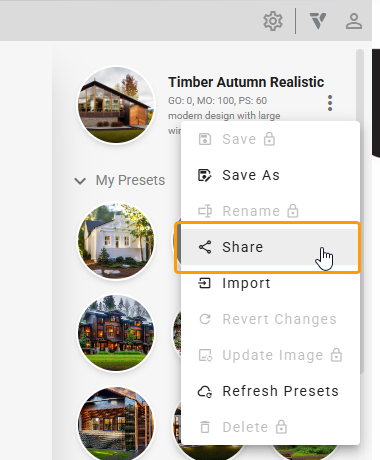
You can just use the ‘share’ preset button and paste them here (or send me a private message if you don’t want to share your presets publicly).