Access
Web App | Windows | Mac Sketchup | Mac Vectorworks or ArchiCAD
SketchUp Mac Update Instructions: Updating Veras for SketchUp on Mac
SketchUp Mac First Install Instructions: Installing Veras for SketchUp on Mac
Vectorworks Mac Install and Update Instructions: Getting Started with Veras for Vectorworks
ArchiCAD Mac Install and Update Instructions: Getting Started with Veras for ArchiCAD
 Edit Videos with Gemini Omni
Veras can now edit videos, not just generate them. The new Gemini Omni model takes an existing video plus a prompt and transforms the footage: change the materials, the season, the time of day, the landscaping — while the motion and camera of the original carry through. Pick any video render from your strip (or upload your own — see the next section), describe the change, and render.
- Video-to-video editing — your prompt reshapes existing footage instead of starting from scratch
- Add up to 4 reference images to steer materials, objects, or style
- Gemini Omni also generates — text-to-video with no source, or image-to-video from any source image
- Produces 10-second clips at 720p while in preview, with its credit cost shown right in the dropdown
NOTE: Hand Gemini Omni a video and a prompt — it transforms the footage while keeping the original’s motion and camera
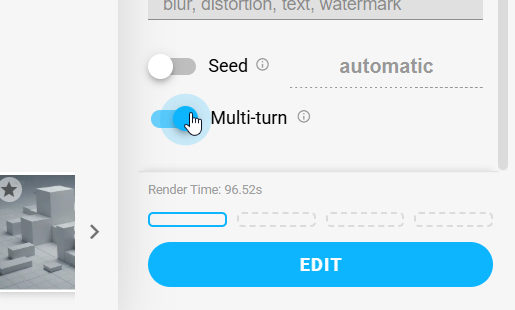
You don’t have to get it right in one shot: when your source is a previous Gemini Omni result, a conversational edit toggle continues the same edit session, so follow-up tweaks stay consistent with the changes that came before.
 Connected Video Playback
Select multiple videos and they now play as one continuous sequence, looping in the order you picked them — perfect for reviewing a storyboard of clips as a single animation. A scrub line runs across each thumbnail so you can see where playback is and drag to any moment. Playback is also dramatically smoother when many videos are loaded — we fixed a stutter that crept in while scrubbing.
NOTE: Multi-select videos and they chain into a looping playlist, with a scrub bar on every thumbnail
 Copy and Paste Images
The clipboard now works both directions:
-
Paste in — Ctrl+V (Cmd+V on Mac) an image from anywhere straight into Veras as your source image
-
Copy out — copy any rendering to the clipboard and paste it into email, chat, or your presentation without saving a file first
 Revit 2027 Support
Veras now runs in Revit 2027. Just grab the Windows installer above — it detects your installed Revit versions automatically.
More Improvements
- Out of credits modal bug fix — running out of credits shows a clear message instead of a generic “Network Error”, and the monthly credit reset date displays more reliably
- Gallery deletions are instant — deleted renders disappear immediately instead of freezing the gallery while the server catches up
- Gallery keyboard fixes — the Delete key in the gallery no longer also deletes the workspace’s selected render, and ESC in the delete dialog no longer closes the expanded view behind it
- Smoother sign-in recovery — when a login session expires, Veras quietly re-authenticates instead of showing endless gallery loading errors
- Source image history includes synced images — step back through earlier snapshots synced from your model, not just manual uploads
- Live Auto source preview — with the Auto source, the thumbnail now mirrors your 3D view in real time, including your sketch overlays
- Auto source respects the aspect ratio — automatic captures now match the aspect-ratio dropdown
- Video playback on more hosts — video renders automatically fall back to WebM in environments without MP4 support
- Rotate renders reopen in Rotate — selecting a Rotate render switches the render button back to Rotate mode automatically
- Guided walkthrough stability — no more growing step counts or a stuck overlay mid-tour
- Fixed screens briefly going blank when the app loads on some multi-monitor setups
- Style chip editing polish — the edit panel no longer grows unbounded with long descriptions, chip names now require a minimum length, and the save-preset tooltip explains itself when saving is blocked
- Faster, more reliable render delivery — renders are now served directly from cloud storage