Access
Web App | Windows | Mac Sketchup | Mac Vectorworks or ArchiCAD
SketchUp Mac Update Instructions: Updating Veras for SketchUp on Mac
SketchUp Mac First Install Instructions: Installing Veras for SketchUp on Mac
Vectorworks Mac Install and Update Instructions: Getting Started with Veras for Vectorworks
ArchiCAD Mac Install and Update Instructions: Getting Started with Veras for ArchiCAD
 Design Lock
A new reference image type — Design Lock — that extracts the architectural design language from a reference image and applies it to your render. It replicates detailing, trim profiles, railing patterns, molding proportions, and panel layouts without altering your model’s primary structure. Limited to one design reference per render for focused results.
This enables AI generated elements to persist with multiple views of your design.
Currently it has a 75% success rate, but we are working on improving this feature.
Workflow: Using Design Lock for Persistent Views
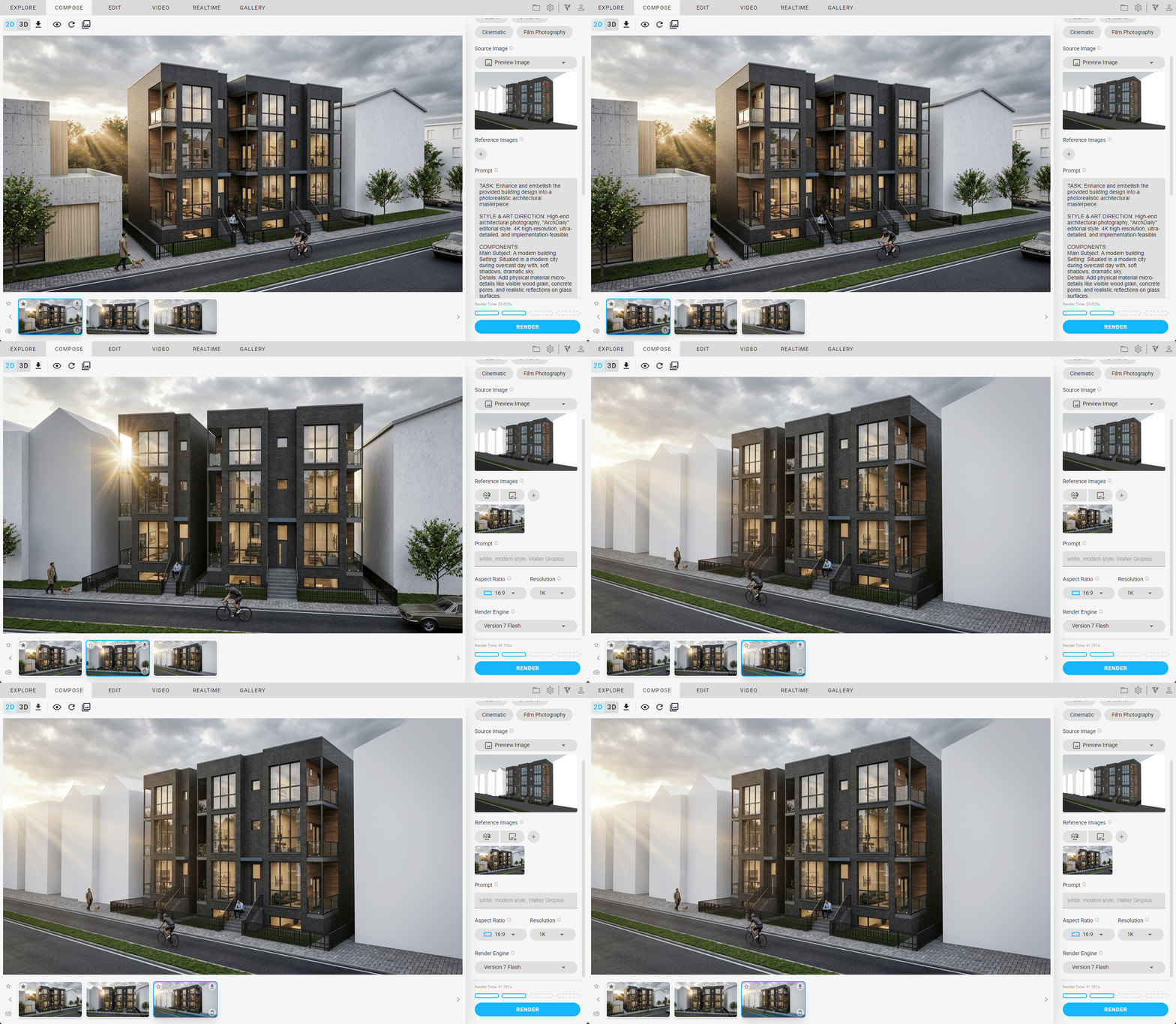
NOTE: The bicyclist, people, car and other assets are not part of the 3d model
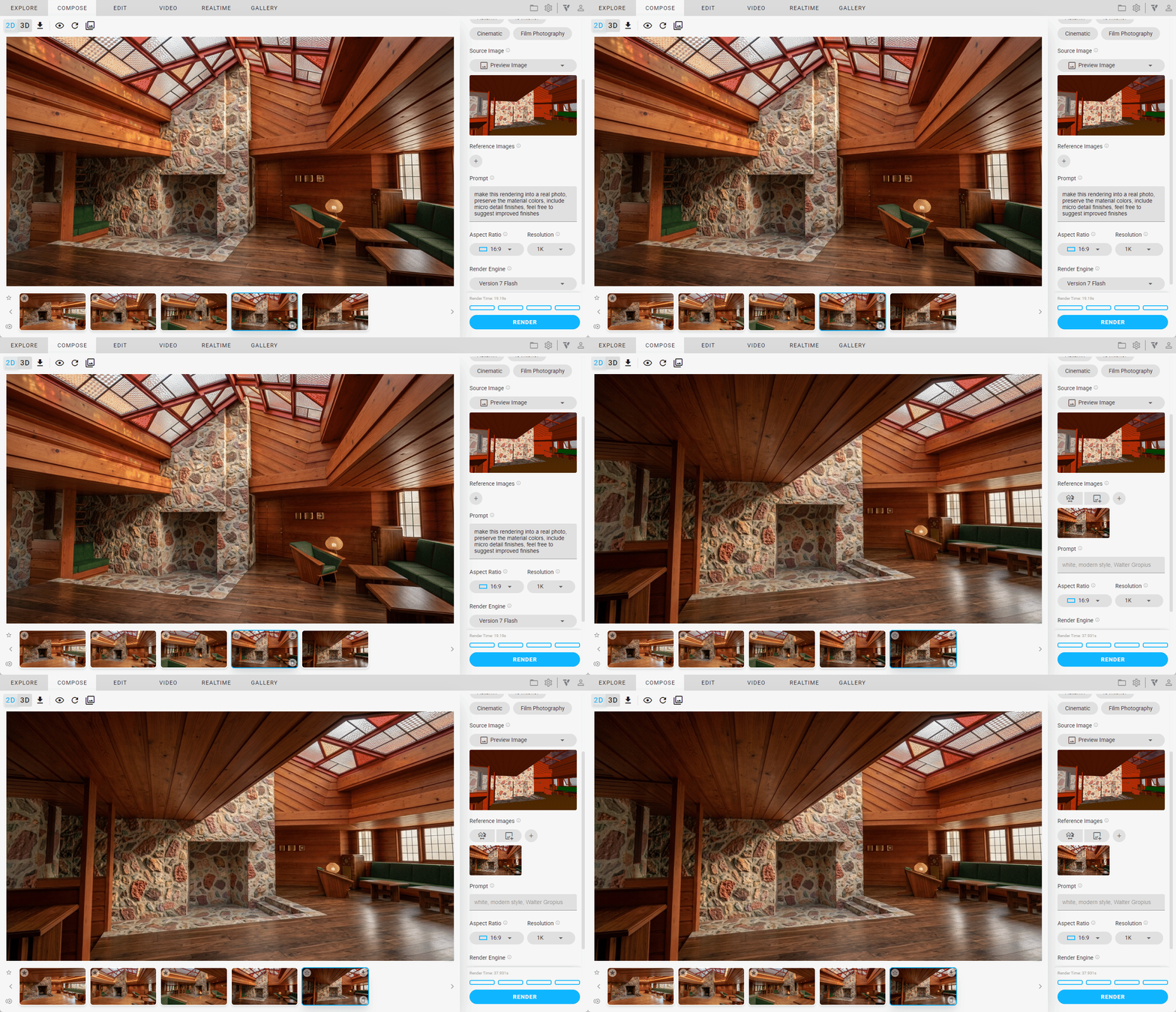
NOTE: The skylight persists across views, despite the material not being modeled that way
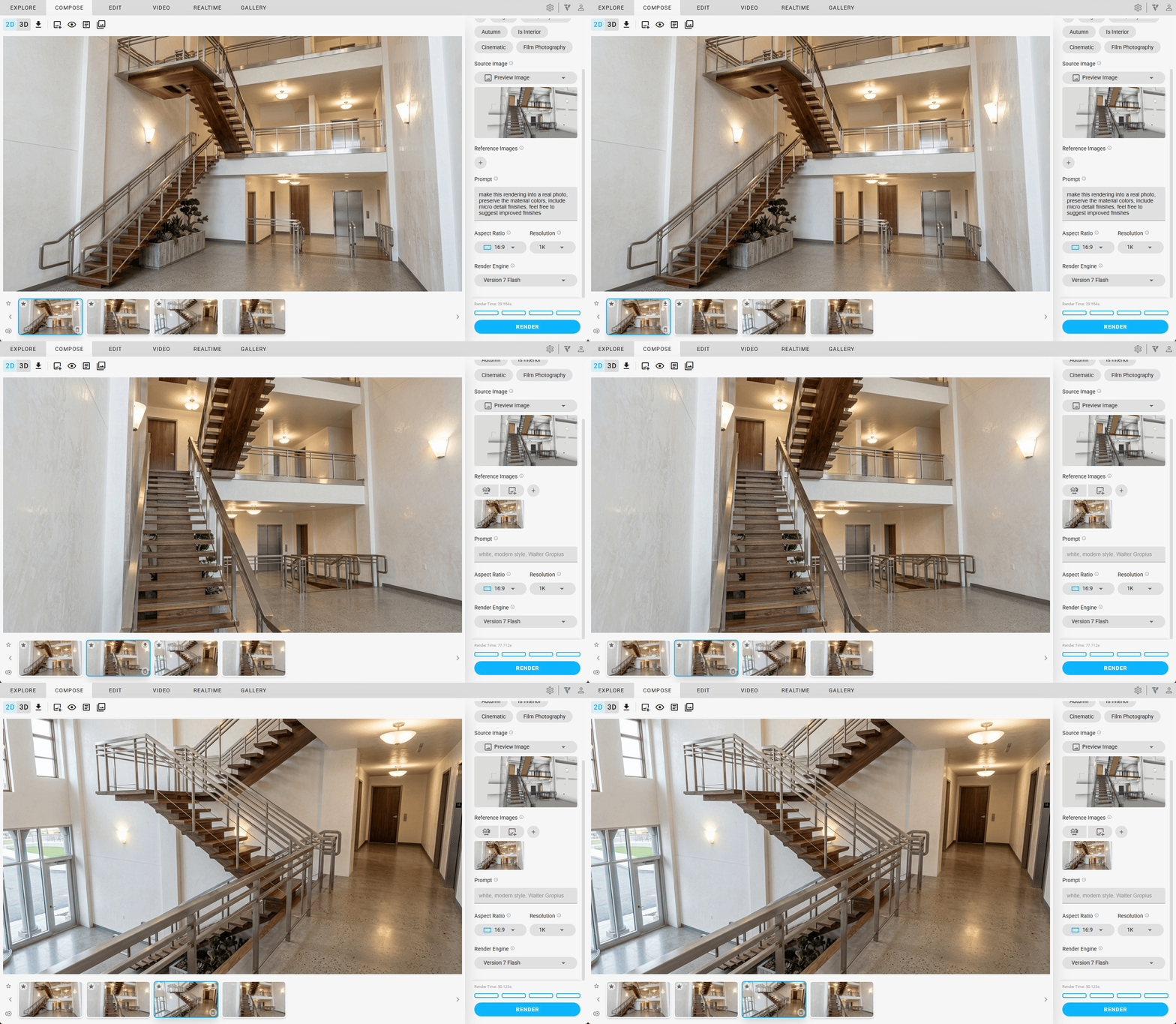
NOTE: Material persistence across scenes
 Video Combine
Select multiple video renders and combine them into a single output. Multi-select videos with Shift/Ctrl click, and hit the “Combine” button to stitch them together — perfect for assembling design walkthroughs or presentation sequences from individual clips.

 Canvas Filters
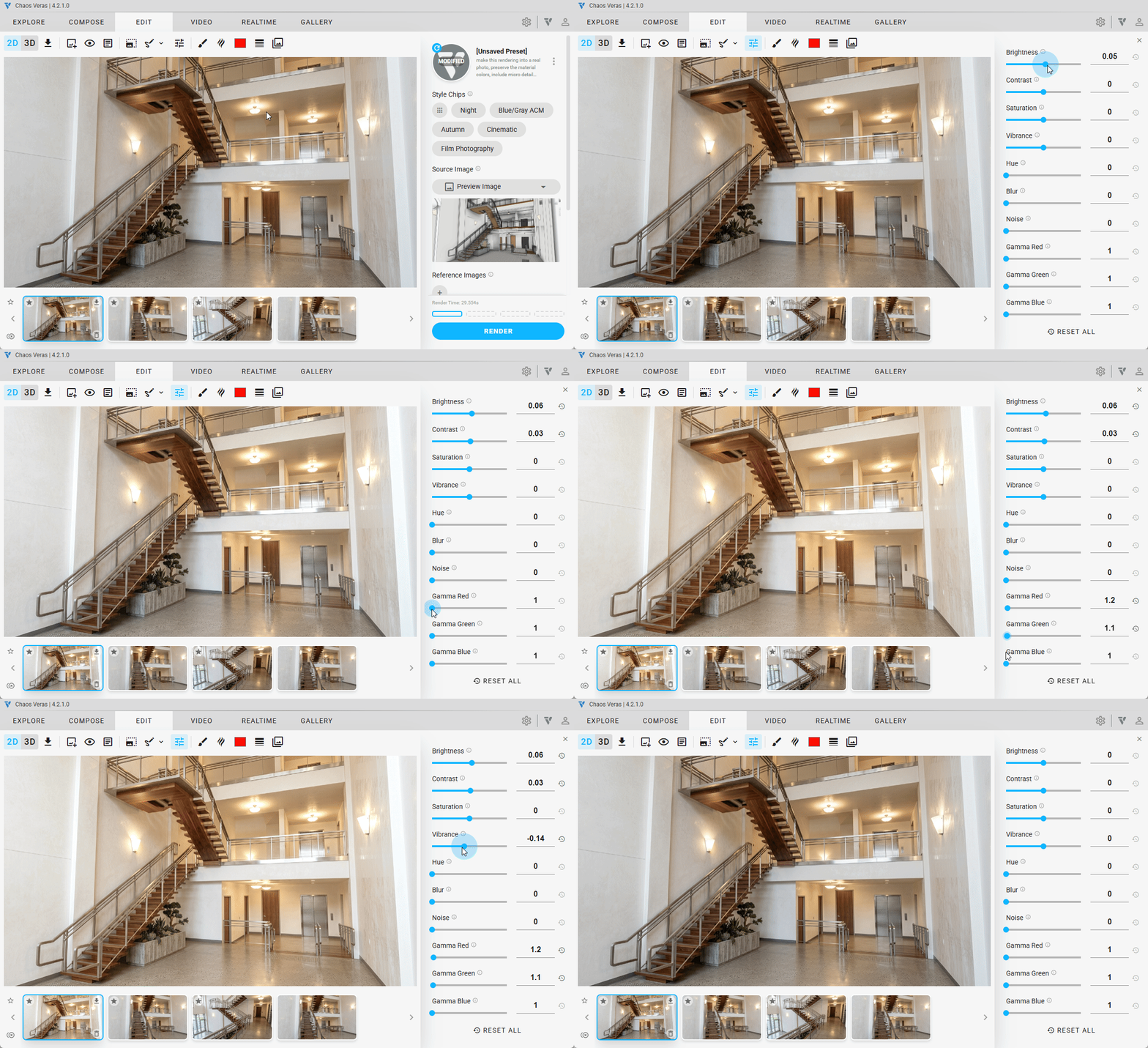
Fine-tune your renders with Canvas Filters — real-time post-processing controls that let you adjust brightness, contrast, saturation, blur, and more directly on the canvas. Each slider has its own reset button for quick adjustments, and a “Reset All” button to start fresh. Filter settings are saved to the cloud per render, so your adjustments persist across sessions and display correctly in the gallery.
 Drag & Drop Thumbnails
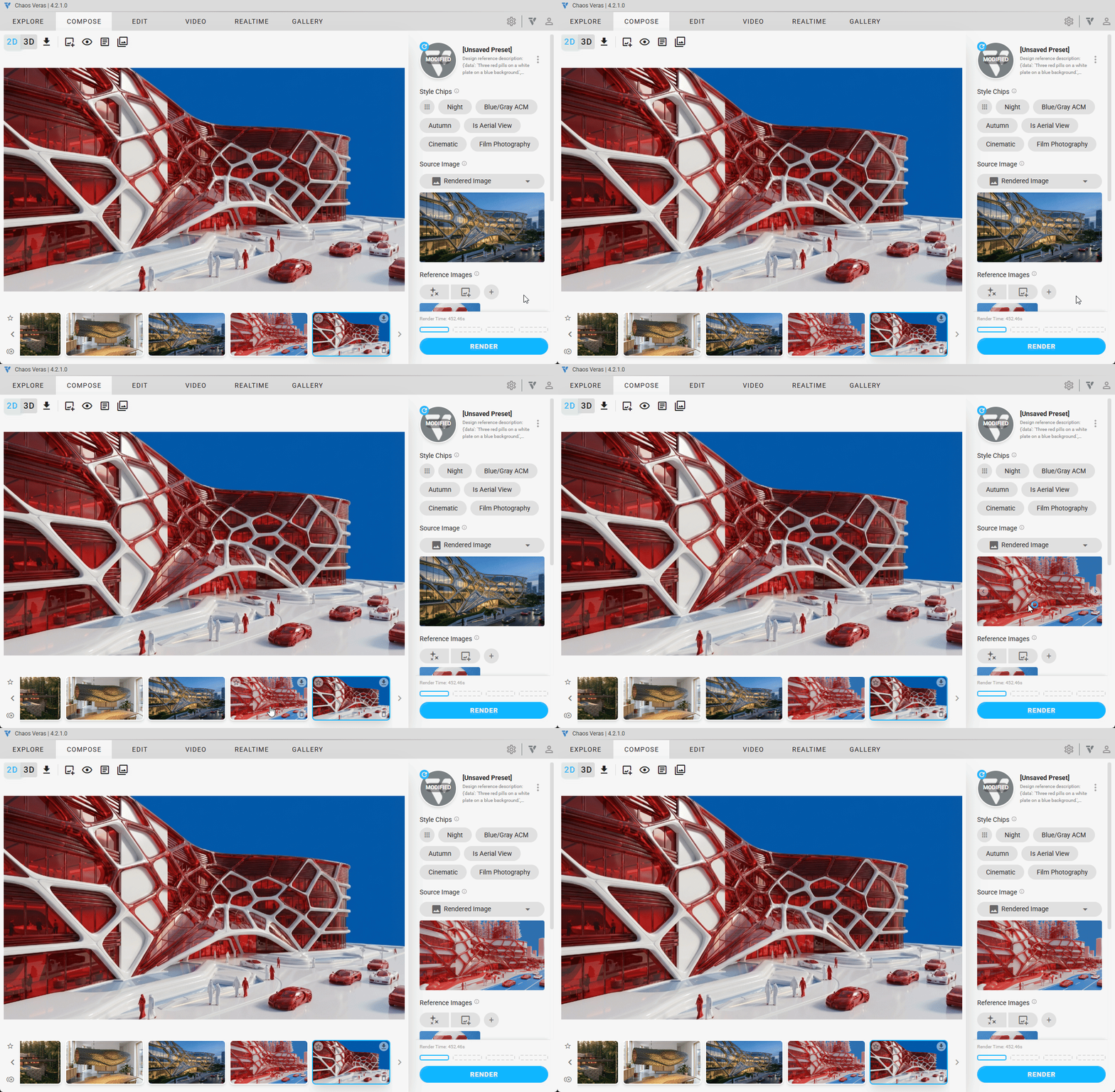
Drag and drop renders directly from the thumbnail gallery strip to set them as your source image. Visual feedback guides you through the interaction for a faster, more intuitive workflow.
More Improvements
- Fixed upscale button incorrectly disabled when no preview image was present in refine mode
- Improved quota threshold alerts — added 0% quota state with pulse animation, immediate notification on login, and better threshold crossing detection
- Layered images (from Engines v6 and below) properly display in the gallery mode
- Fixed Chrome freezing up sometimes when loading an image from the gallery mode