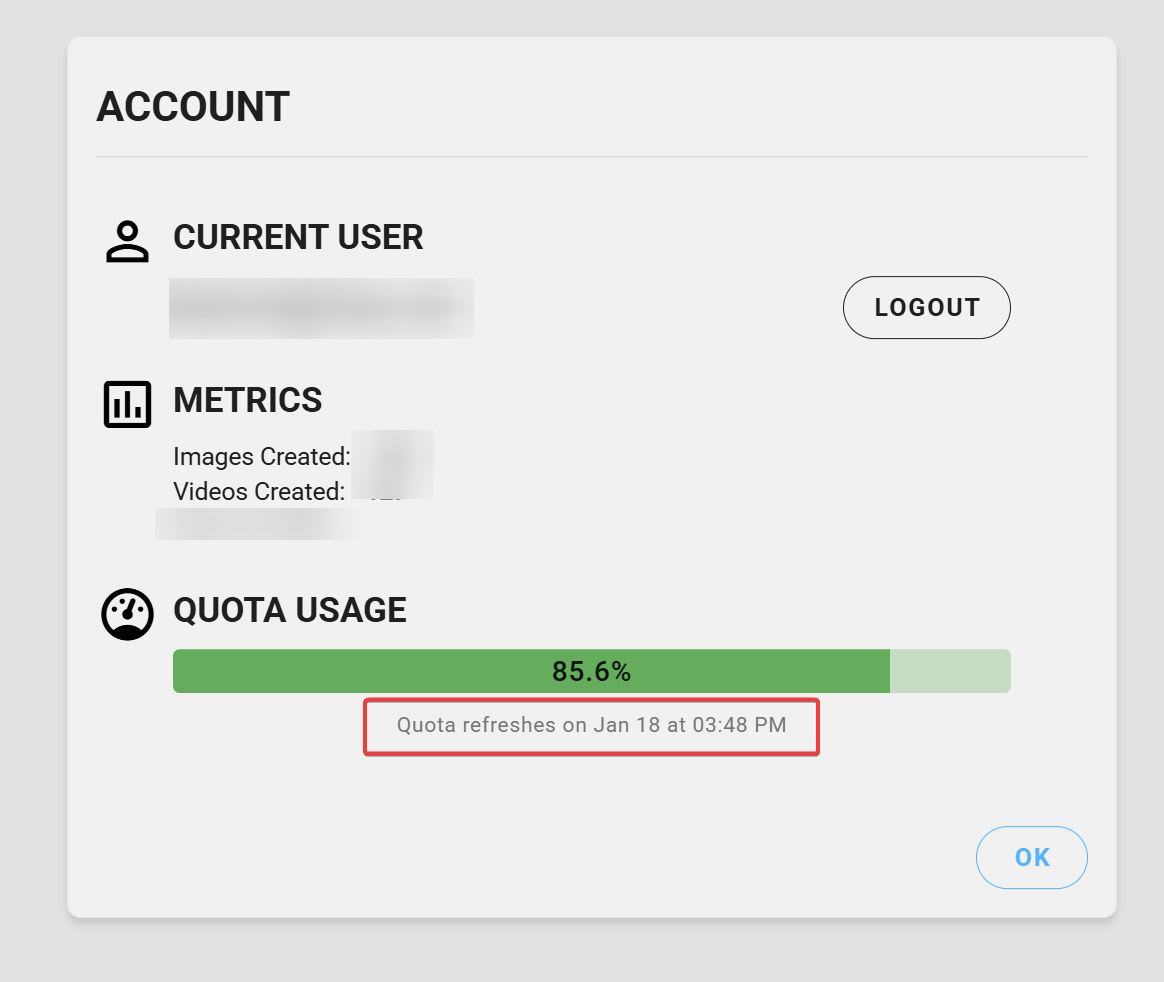
Through the account, I can see how Veras usage is displayed in QUOTA USAGE, but now the question is: It goes from 100% to 0% and then resets on the date specified, or how does this usage work otherwise?
@DEM8X You are correct. The quote refreshes every 30 days, the date being based of the day your subscription started.
@Daniel Top , Thank you
Hey Daniel, Another question from our customers, who know their Veras usage: AI Image to Video = 200 videos per month (Max), Images (Engine 7 and 1k, 2k) = 100 images per month (max), Images (Engine 7 and 4k) = 5 images per month (max), Images (Engine 6 - Stable Diffusion)
This is valid for one licence. What about multiple licences within the company? For example, we have 30 licences. How is usage determined so that I can agree on this with my colleagues?
Now I’m having a strange problem with the quaota.
How can this happen? Could you take a look at this?
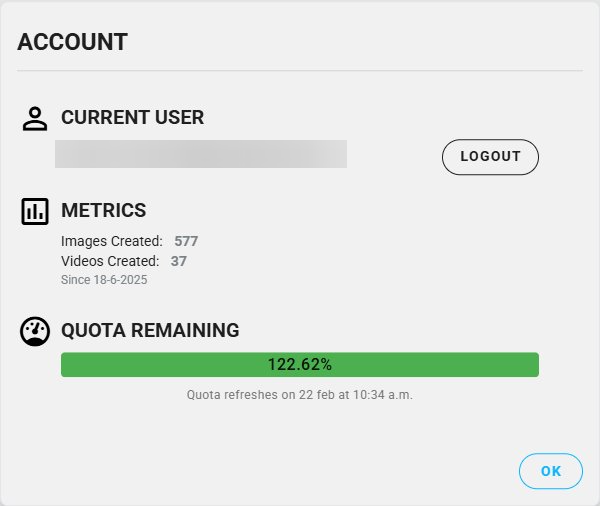
This is an artefact from our recent quota usage refactor, that introduced the ultra tier and the quota boosts. For this month, users received 25% more quota across the board. (So if there was no usage, it would say 125%).
EDIT: I went ahead and blurred your email address for privacy.
Hello Ben,
My short guide on how to use Veras is now completed. In this guide, I have clearly documented the credit consumption for Flash 7, Render 7, and the other rendering engines.
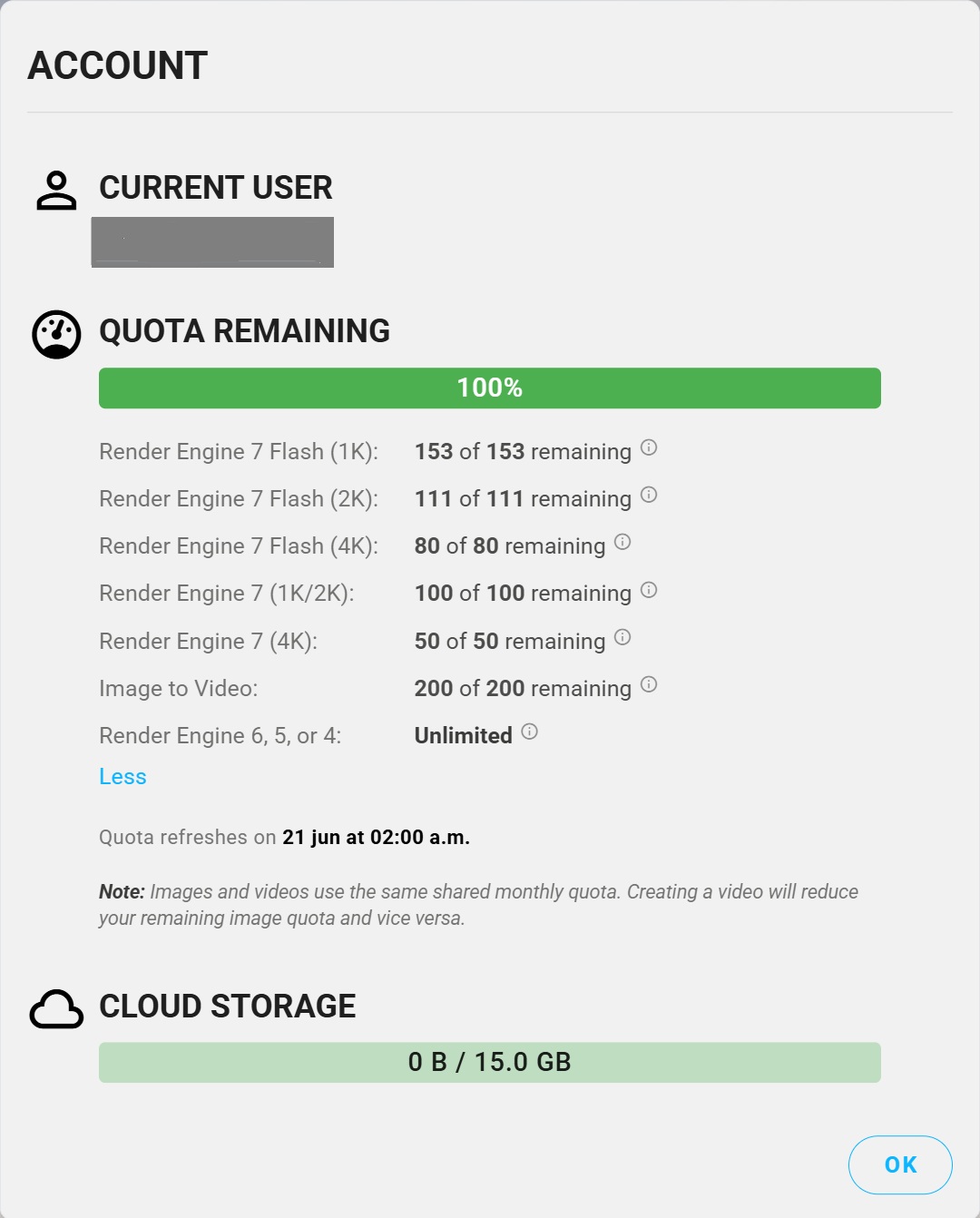
However, since the changes introduced on May 27, 2026, including the addition of cloud storage, it has become less clear to me how the credit system now works. It appears that everything is being grouped into a single credit pool, without distinguishing between the different rendering engines.
Could you please clarify how customers can accurately track their usage today?
-
Is the new principle simply: 1 render = 1 credit?
-
Is there still a difference in credit consumption between 1K, 2K, and 4K renders?
-
Does credit usage still vary depending on the rendering engine or model used?
-
Where can customers see a detailed breakdown of how their credits have been consumed?
I would like to provide accurate information to my customers and update my documentation accordingly.
In addition, I currently have access to one customer account for testing purposes. Could you confirm what features, credits, and cloud storage are included by default with a Premium account?
Thank you in advance for your clarification.
Kind regards,
Bart W. Alias Demax
Chaos Credits + FAQ
How many credits does each operation cost?
Costs range from 5 credits (Nano Banana 2 at 0.5k) to 35 credits (Nano Banana Pro at 4k). AI Upscaler and AI Enhancer Full each cost 20 credits.
Where can customers see a detailed breakdown of how their credits have been consumed?
The admin portal now shows each user’s usage and you can limit each user or allow them access to the whole pool.
It would be nice to get more of an “official” breakdown on all this.
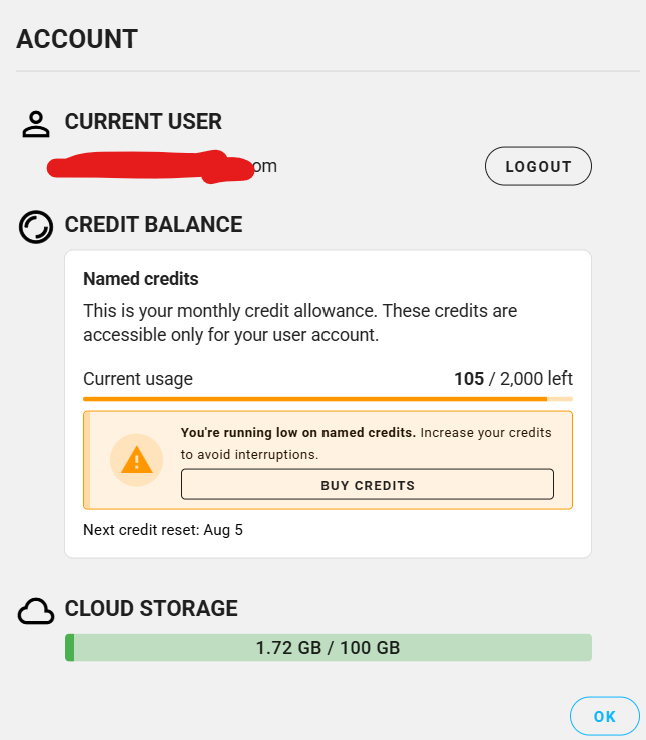
VERAS SUPPORT - The monthly credit reset date is no longer visible. Previously, it was displayed clearly, allowing customers to know exactly when their credits would reset each month. Since the migration to the new credit system, this information has disappeared, creating unnecessary confusion and uncertainty for customers.
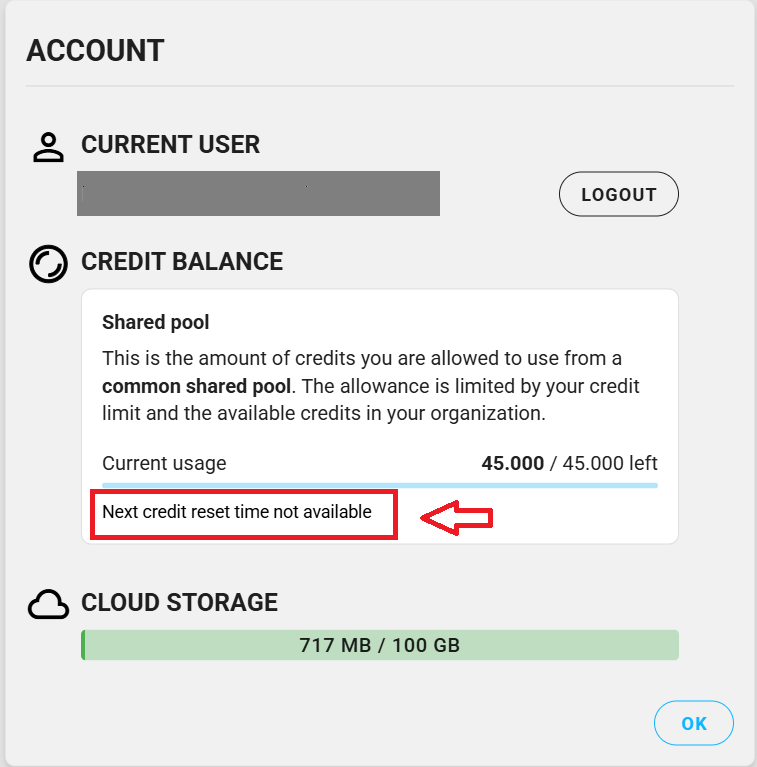
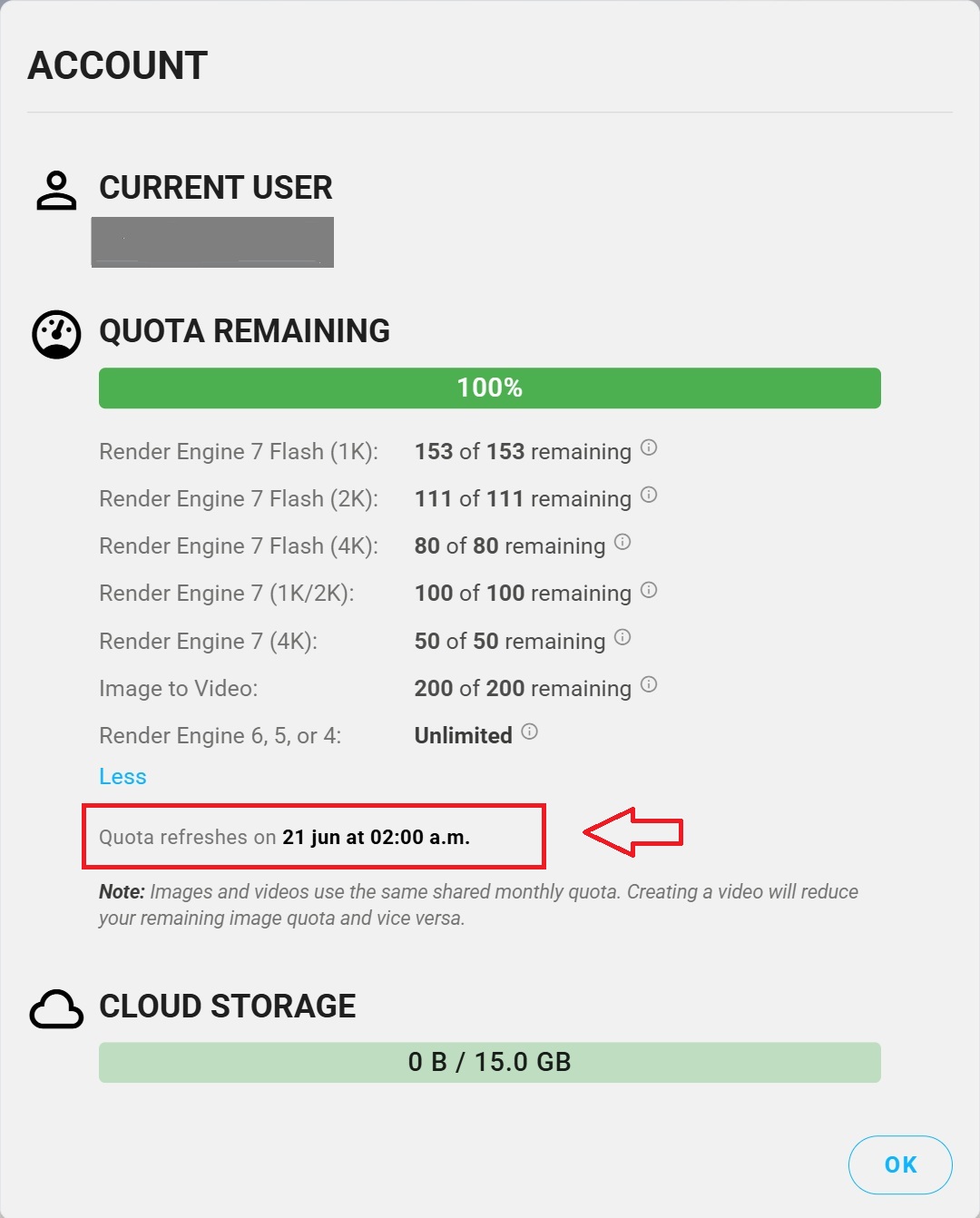
Could you please investigate this issue as a matter of urgency and restore the renewal date in the customers’ accounts, as well as ensure that their balance resets correctly?
I am writing because my paid subscription has similar issues and is completely broken down, and I am stuck in a support loop on the main website.
I recently generated only three 8-second video clips in Veras using Veo, and my entire credit balance was instantly wiped out to empty. The ://chaos.com dashboard provides no line-by-line itemization or warning about how this could happen.
To make matters worse, my monthly account renewal was clearly scheduled for July 7th, but the dashboard has now suddenly shifted my renewal date out to August 5th. I am being forced to wait an entire extra month for a refresh while sitting at 0 credits because of a software glitch.
Could a team member please audit my account logs immediately to:
1- Fix the renewal date error back to its proper cycle.
2- Manually restore my credit balance so I can actually use the subscription I am paying for.
Title: Heads-up: an 8-sec Veras video (Veo 3.1) cost me 360 credits — and I was billed for 5 clips but only got 3
Hi all,
Sharing this in case it helps other Veras users budget their credits — and to ask if anyone else has hit the same thing.
What happened:
-
On a Veras Pro plan (2,000 credits/month), I generated a few short Image-to-Video clips with Veo 3.1, 1080p, 8 seconds each.
-
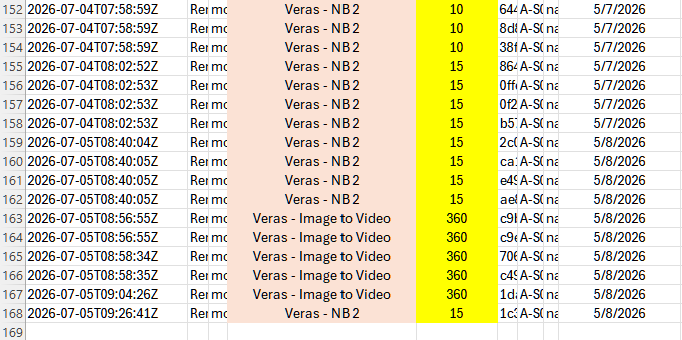
Each clip cost 360 credits. A full 2K-4K still render is only 10-15 — so one short video is roughly 24x a rendering.
-
My detailed usage export shows five Image-to-Video charges (1,800 credits, about 90% of my monthly allowance) within ~8 minutes — but I only received three finished videos. Two charges share the exact same timestamp, so it looks like a couple of Beta generations failed to deliver an output but were still billed (about 720 credits).
Two changes that would help everyone:
-
Show the real credit cost before you hit Generate. The model menu only shows a wide multiplier range (“16x-52x”), not an actual number — so there is no way to know a clip will cost 360 credits until they are gone.
-
Bring back the detailed per-action breakdown in the dashboard — since the recent update it seems to show only overall usage. (Support can email a CSV export — that is how I found the itemization.)
Tip for others meanwhile: check the Video Model dropdown — Veo 3.1 is the priciest (16x-52x). Veo 3.1 Lite (2x-8x) or Wan 2.2 (1x) cost a fraction for 1080p.
Questions for the community / EvolveLab + Chaos:
-
Has anyone else been charged for more video generations than they received (Beta failures still billing)?
-
Is a refund for the undelivered clips the right expectation here?
I like Veras and want to keep using it — just hoping to save others the same surprise and get the undelivered credits sorted. Thanks!
We’re looking into this, and we’ll respond here with updates.
There was an edge case where pressing ctrl+Enter while the prompt text box was active where it could trigger two renders. However, your gallery should have both renders, just not the workspace gallery. This is now patched. Ty for letting us know.
We’ll get a refund for those credits as soon as we can.
We have the same issue. We were not notified of the change in the renewal date. We do not have a renewal date in the interface. We have run out of credits and cannot use the app for the next week, until the renewal date changed unilaterally by Evolve Lab. The customer support is not being very helpful so far, blaming us for a problem that we have not created.
1 Like
Hello Ben,
I will appreciate if you can resolve this issue for my account asap! I am out of credit completely due to this update, and have been waiting for your reply for nearly 10days. Ticket Number is 497649.
Please help! Thank you
Warm regards,
Reno
The refund should have come in - please let me know if this is not the case
@rp.tmd - we will look into this and get back to you
This should now be fixed with the latest Veras Release 4.7 - Gemini Omni Videos
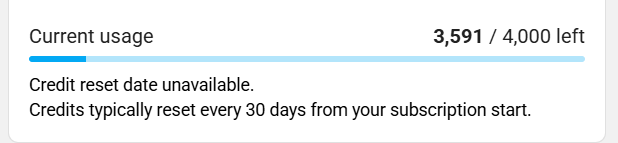
Hmm… Is this a shared pool or a fixed seat?