Download: Installer
 Major Dimension Task Release!
Features 
 Dimension Groups
Organize and control how dimensions are grouped and displayed.
Dimension Categories Selection:
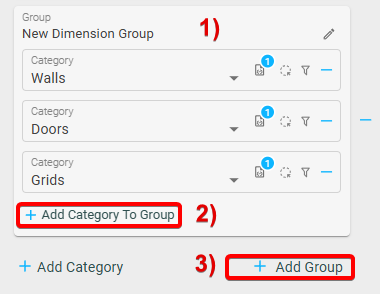
- Dimension Group – Groups categories together
- Add category to Group
- Add dimension group
Dimension Group Settings:
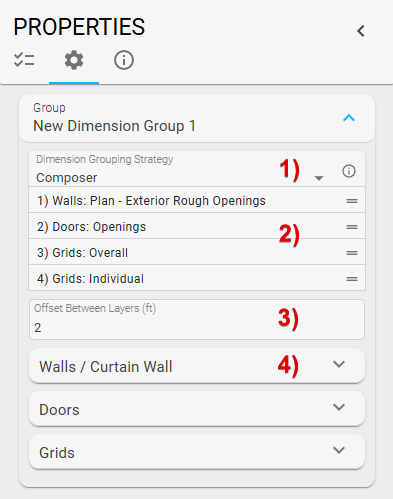
1) Dimension Grouping Strategy
- Combine: Merge multiple dimension categories into a single line
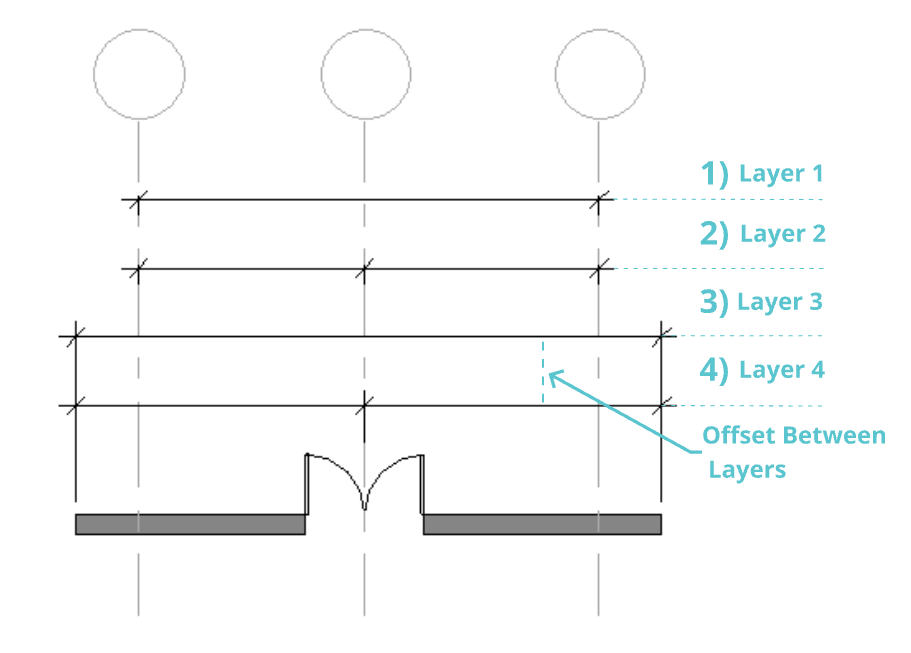
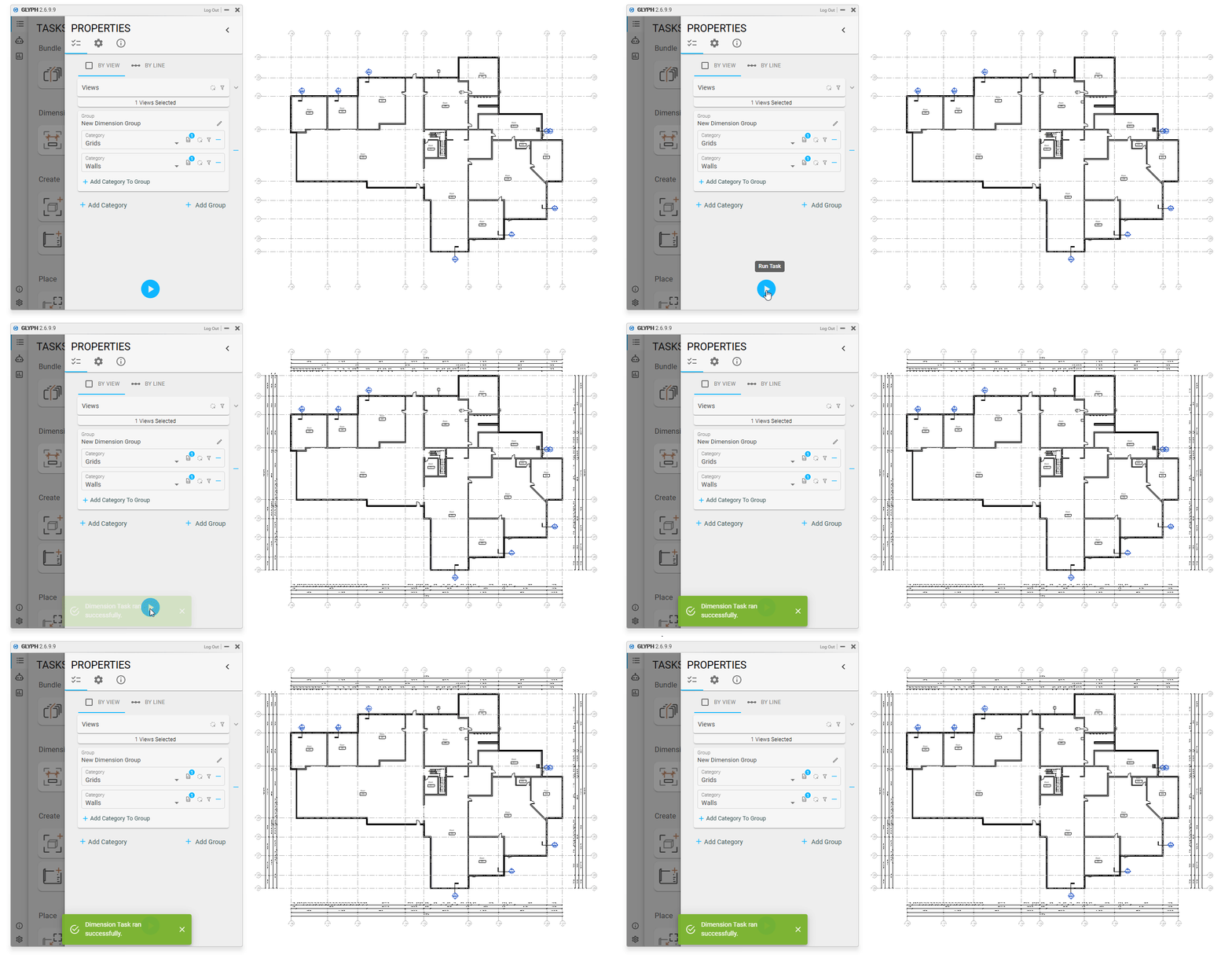
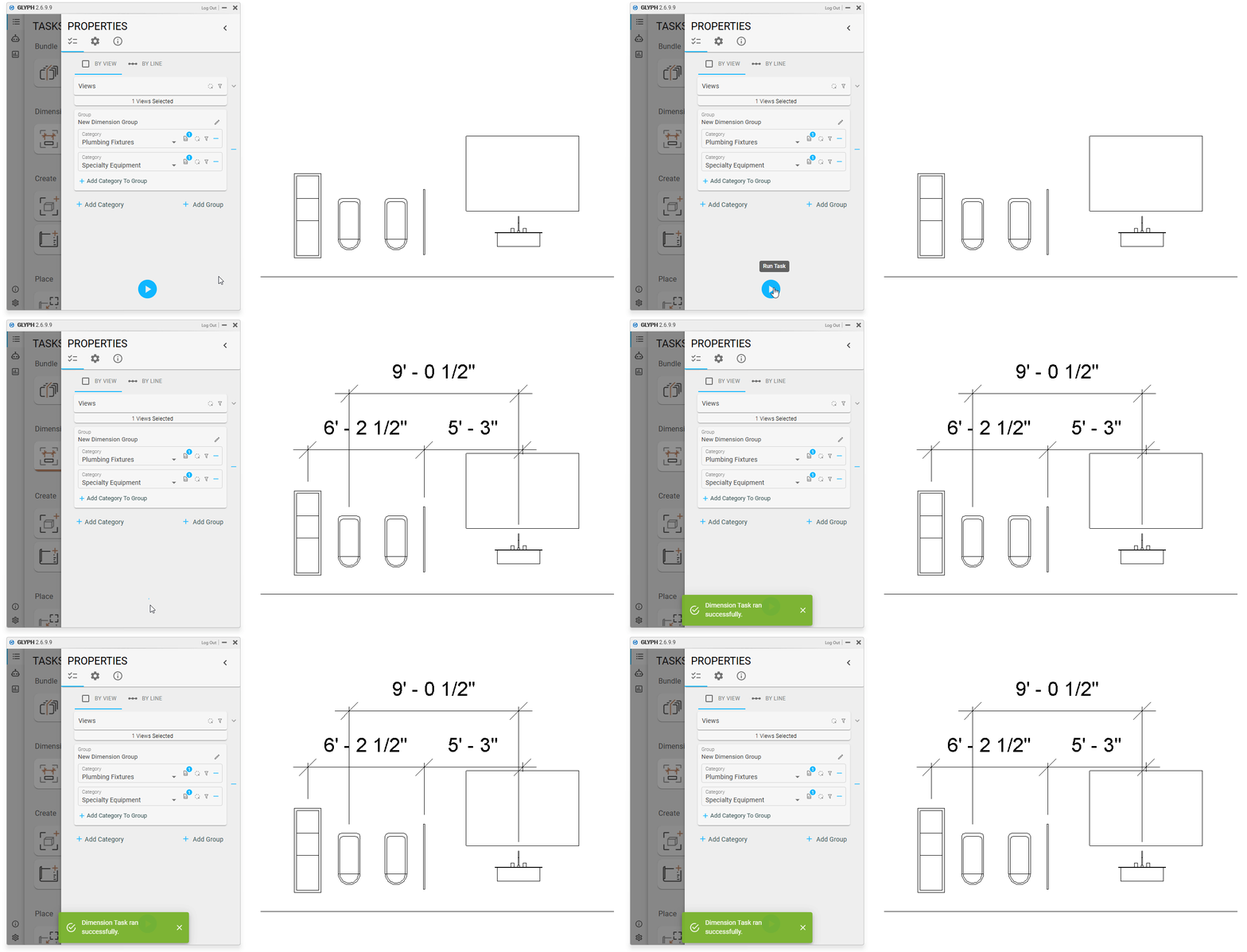
- Compose: Customize the order of dimension elements (e.g., wall, grid)
2) If Compose is selected: Organize layers
3) If Compose is selected: Offset Between layers
4) Individual dimension categories settings inside group
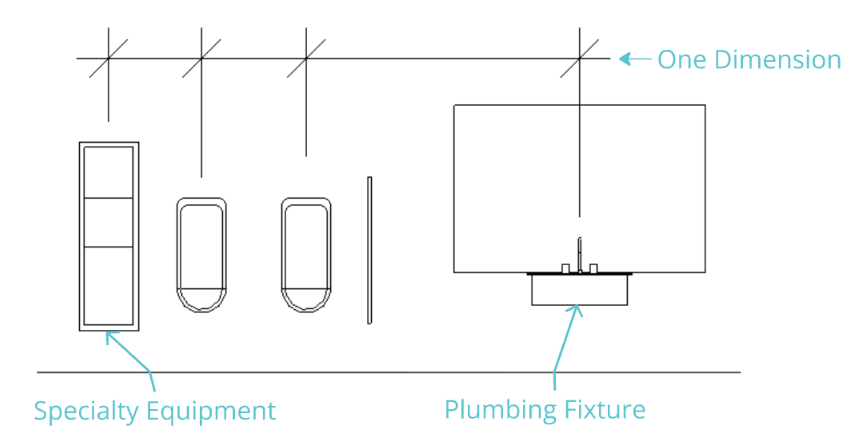
Examples:
-
Combine Categories
- Plumbing Fixtures and specialty equipment
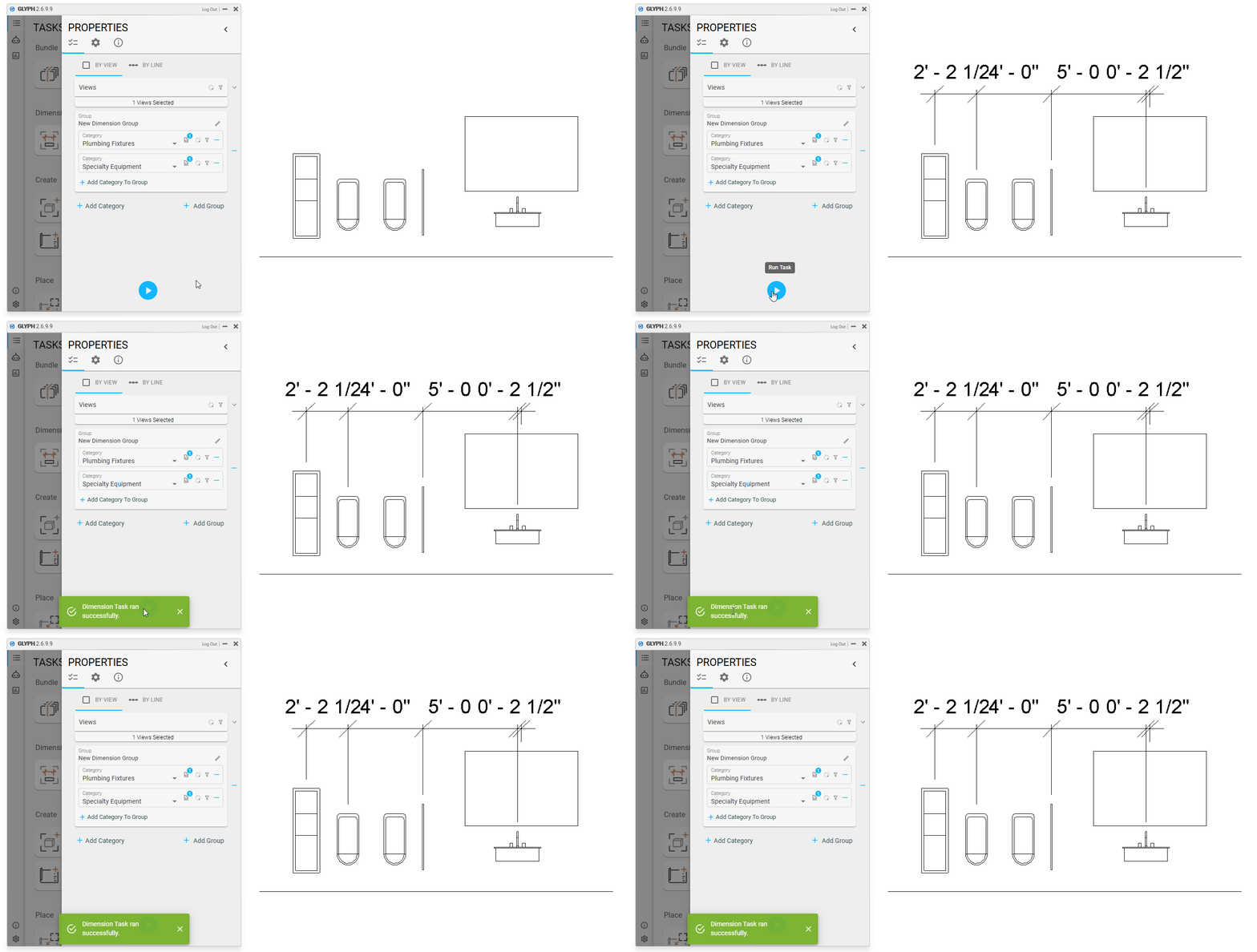
- Plumbing Fixtures and specialty equipment
-
Compose Categories
-
Wall, Grids
-
Plumbing Fixtures and specialty equipment
-
-
New features in a Glyph Bundle
- Creates views, dimensions, tags, and sheets, and places those views on sheets.
- Creates views, dimensions, tags, and sheets, and places those views on sheets.
-
Task in the ribbon
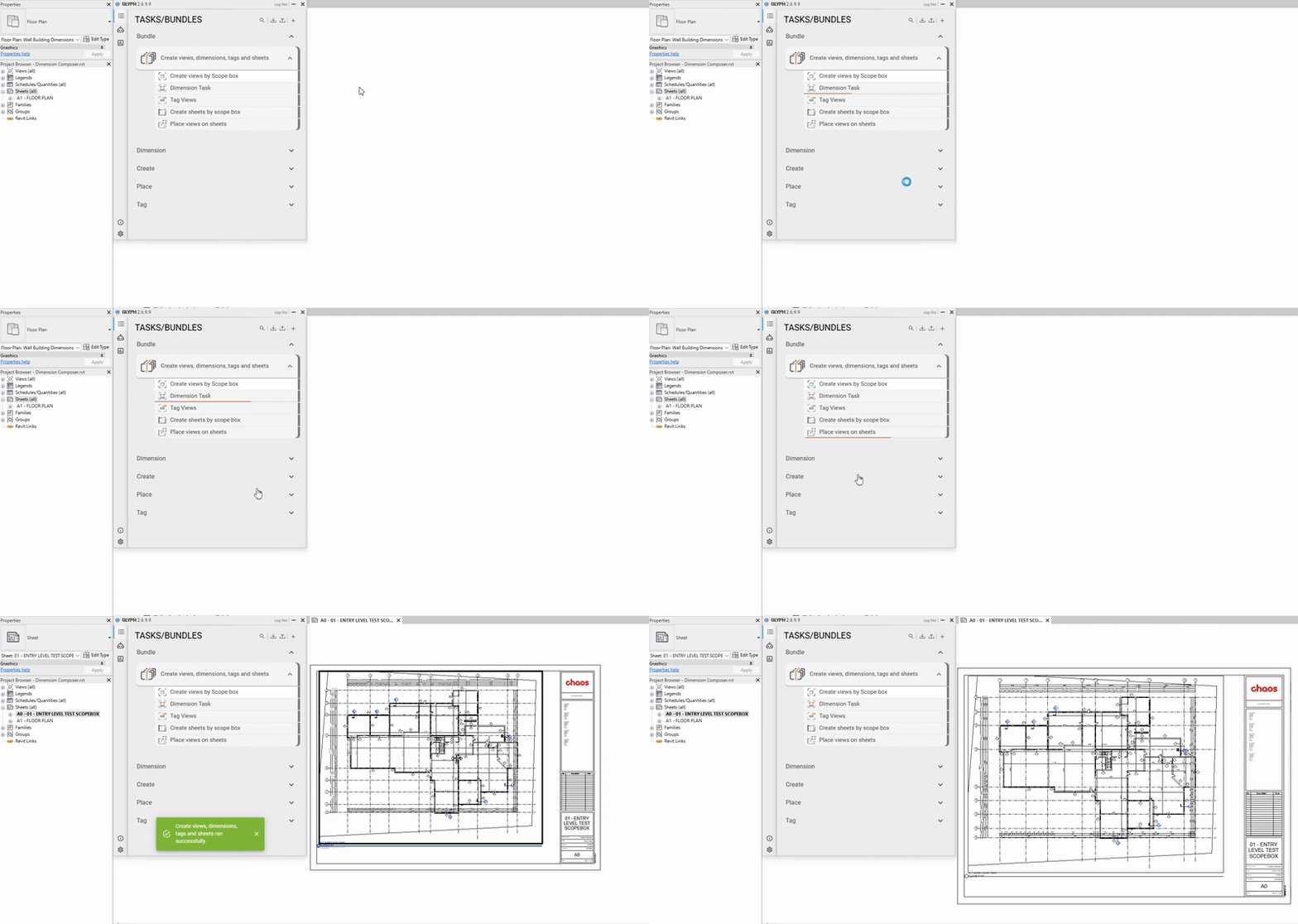
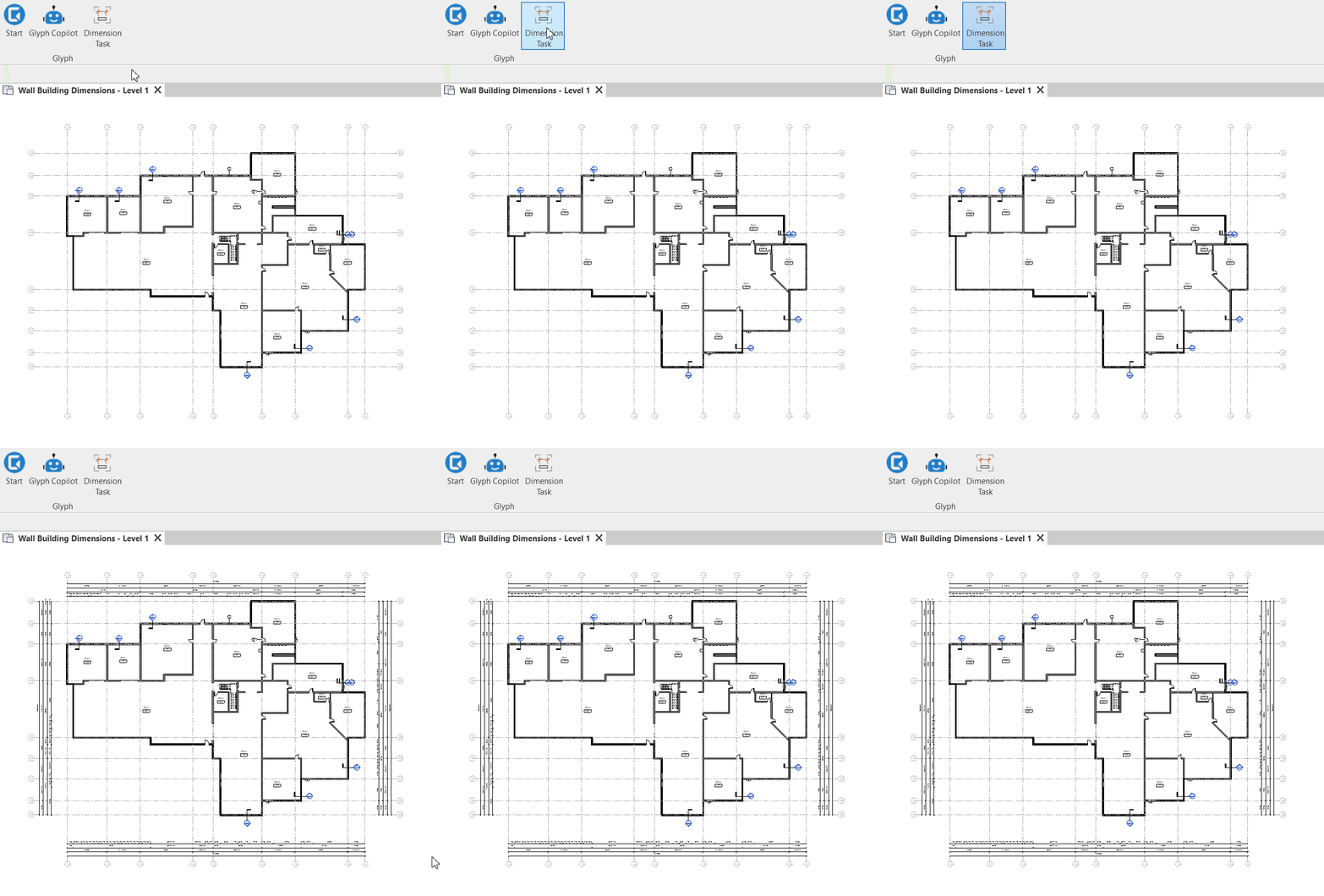
Download the bundle used in the video above here.
 Grid options
- Overall + Individual
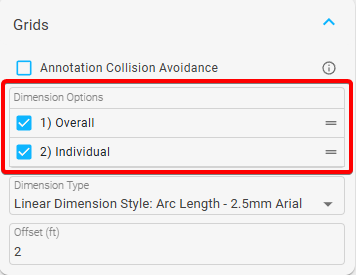
 Wall Dimension order
- Control the order in which wall elements are dimensioned
- Drag and drop to change the other
- Drag and drop to change the other
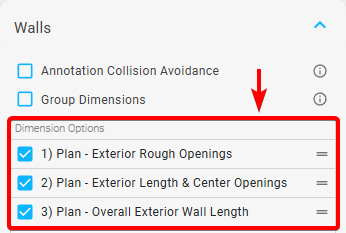
 Elevation View Support
Dimensioning now works for the following categories in elevation views:
- Plumbing Fixtures
- Specialty equipment
- Electrical Fixtures
- Electrical Equipment
- Furniture
- Generic Model
- Lighting Fixtures
- Mechanical Equipment
 Group options
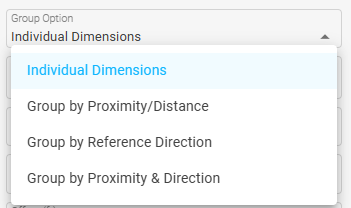
You can now apply the Group Option setting to these categories:
- Electrical Equipment
- Mechanical Equipment
- Specialty Equipment
- Furniture
- GenericModel
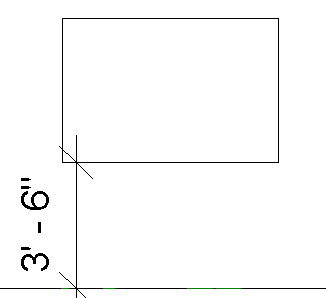
 New Tie Condition for Elevations
- Tie to Hosted Level

- Example:
 Group Dimension Setting
- Group dimension setting added for doors and windows
Improvements 
- Better selection count UI
- Improved dimension grouping behavior
- Rough opening dimensions now include both ends of a wall
- Improved window/door tagging so tag gets placed in the middle in an elevation view
- Improved curtain wall elevation rotation when “View orientation” is turned on
- Improved offset direction for windows and door dimensions

Bugs 
- Fixed an issue where group dimension settings were not saved when the UI was closed.
- Fixed an issue where the level offset did not work properly.
- Fixed an issue where tagging walls in elevation views did not offset correctly.
- Fixed an issue where a 0’ – 0" dimension appeared in an exterior wall when an interior wall was connected to a perimeter exterior wall.
Guides 
- Looking for help? Check out the Guides.
- Quick start guide
- Additional Resources