I am exploring using the iPad to work with the Veras web app. I have gotten really nice results while using the Apple Pencil in edit mode. But here is a pesky thing that happens with some frequency, the render buttons and the ‘render” button goes off screen of the bottom and it is impossible to get them back. Changing the size of the window brings them back, but only for a split second before the jump off screen again. Seems like is a web page/resolution issue that might be easy to solve by making the page scalable, or anchoring the render buttons off the bottom of the screen? Thanks for the feedback.
@OmarC - welcome to the forum
Thank you for pointing this out. We’ll run some tests on this to replicate. However, if you can share a screenshot it would be very useful.
1 Like
Spoke too soon. Not sure what happened but now running the web app on iOS in “web app mode” makes the site crash, or unresponsive after loading a jpg from the photos app.
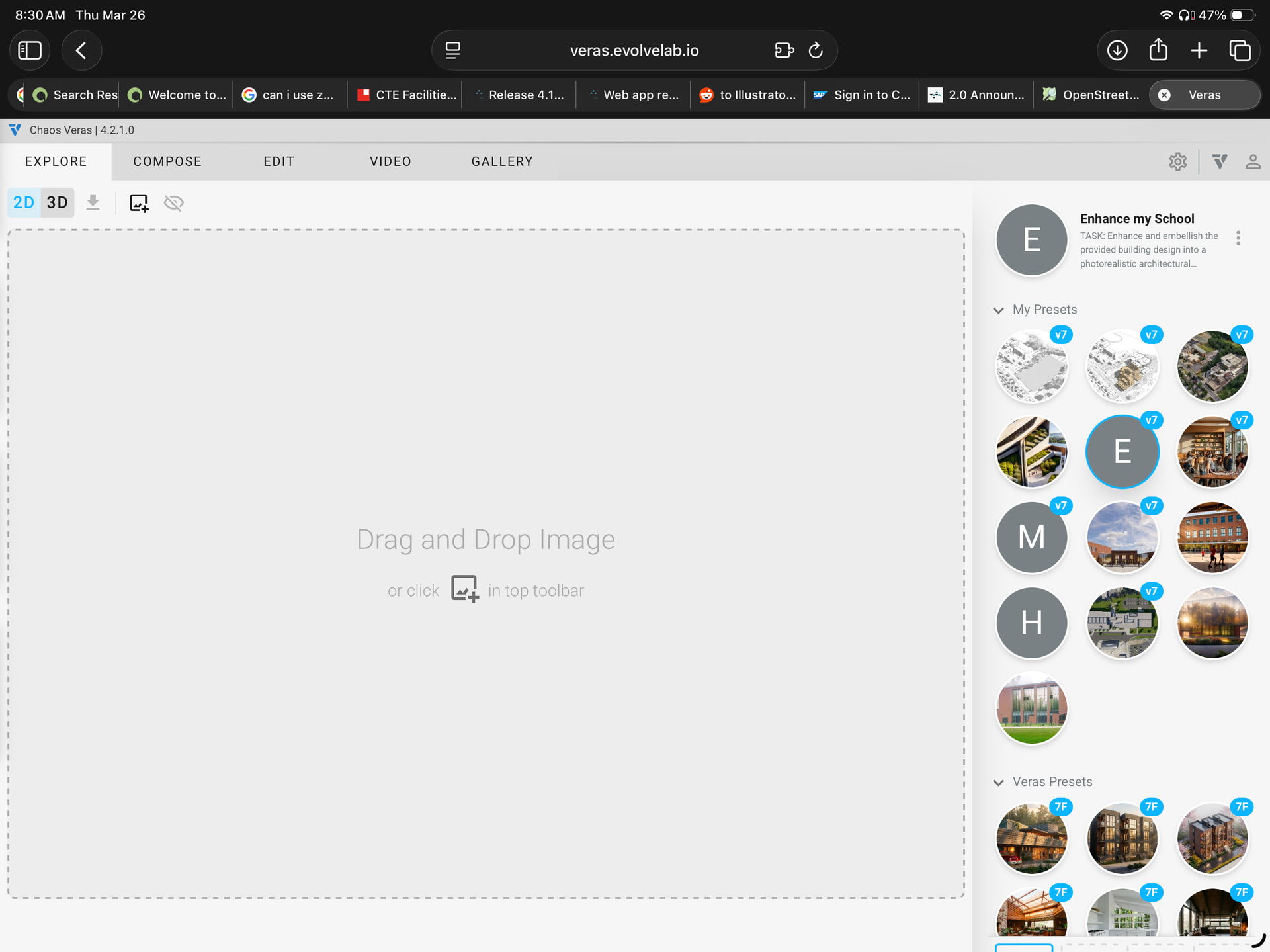
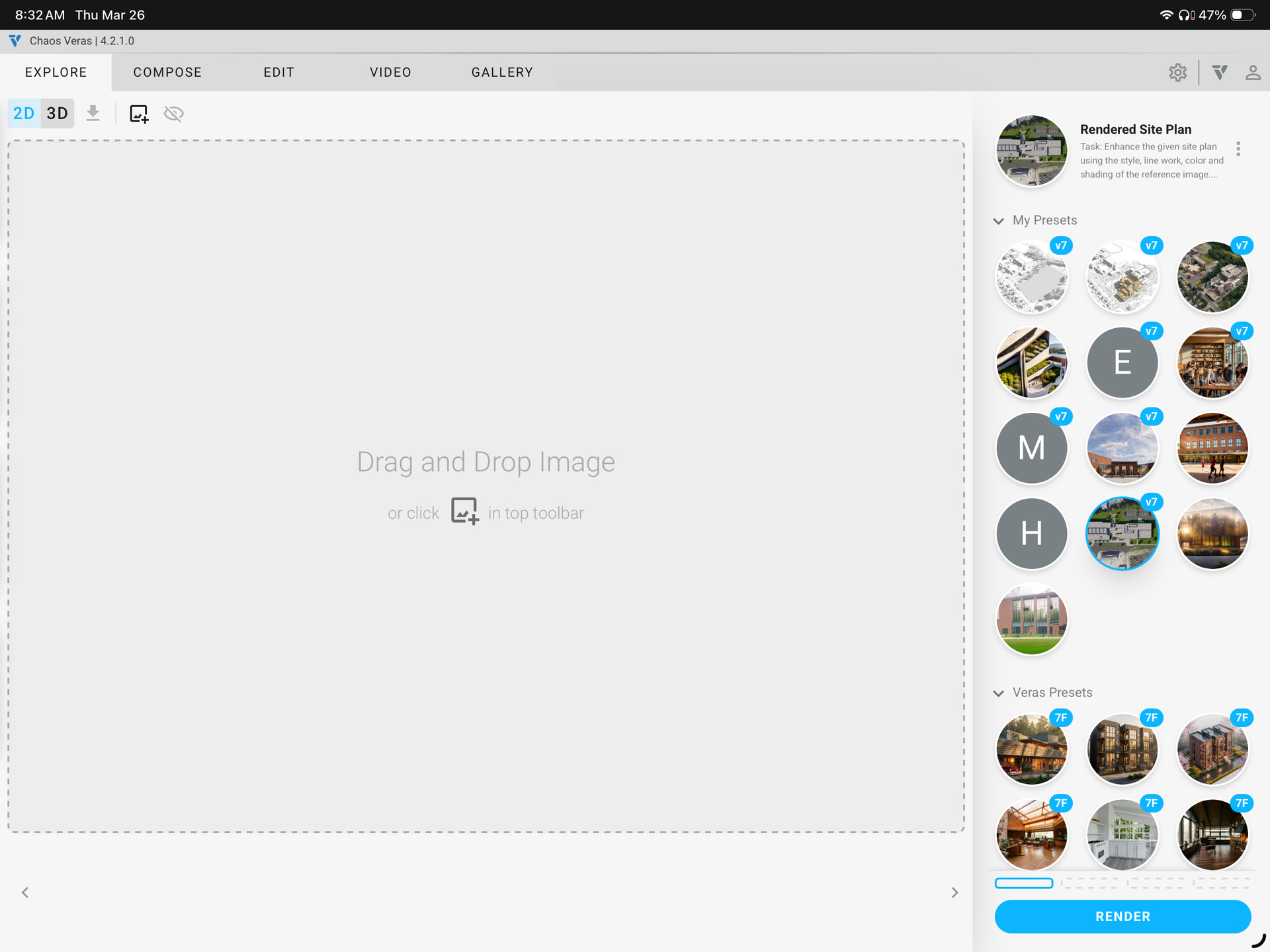
See screenshots below. In the first screenshot The buttons on the lower right hand corner are off screen. However, I did solve the issue. If you bookmark the page and save to run “as a web app” on iOS. This somehow forces the buttons to appear. See second screen shot.
Today I discovered that if you mouse over the prompt area, and select it so the cursor becomes active, this triggers the window to gather in the buttons from the bottom so they become visible and clickable. Anyway, something appears to be inconsistently triggering the behaviour.