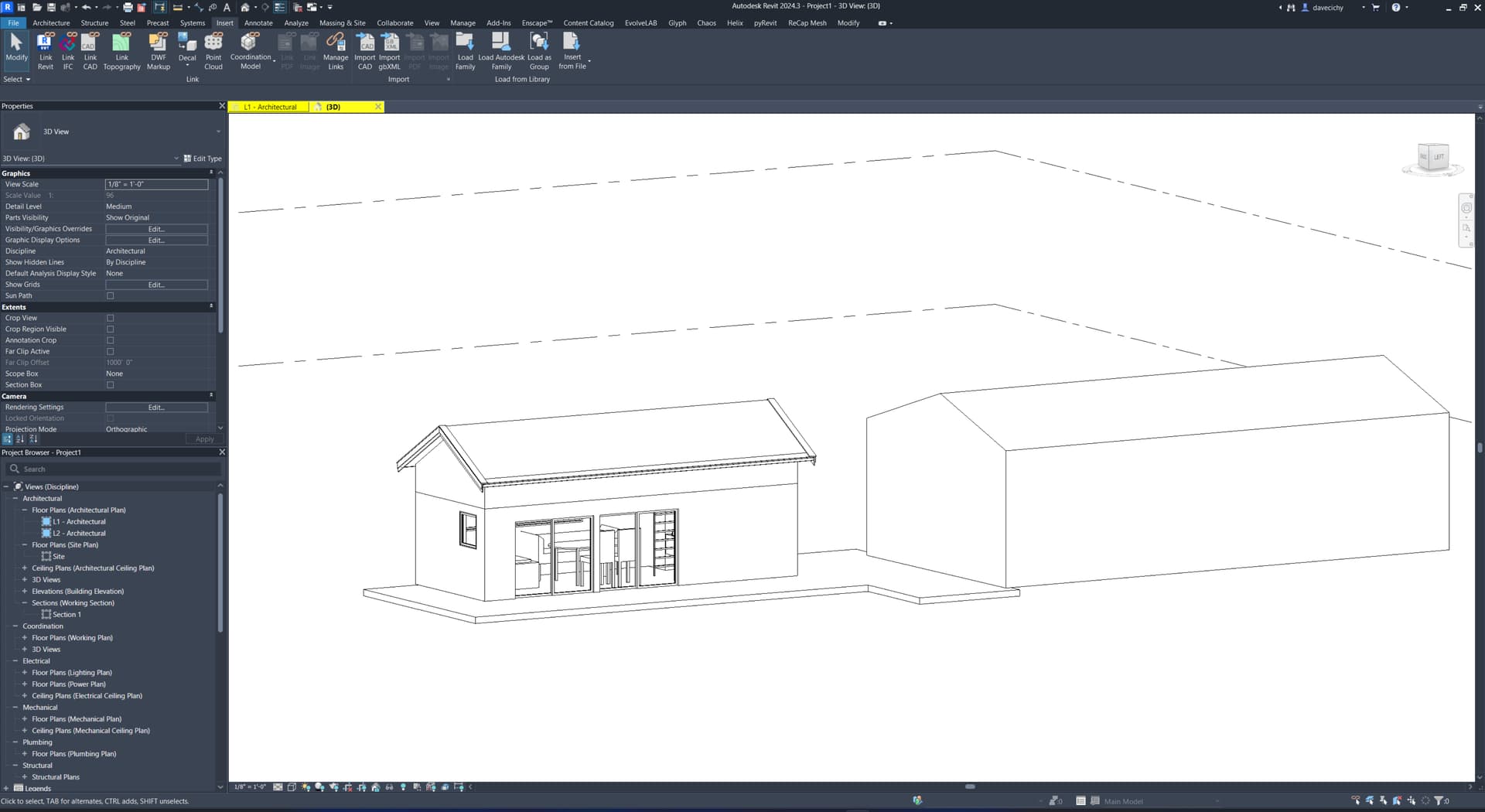
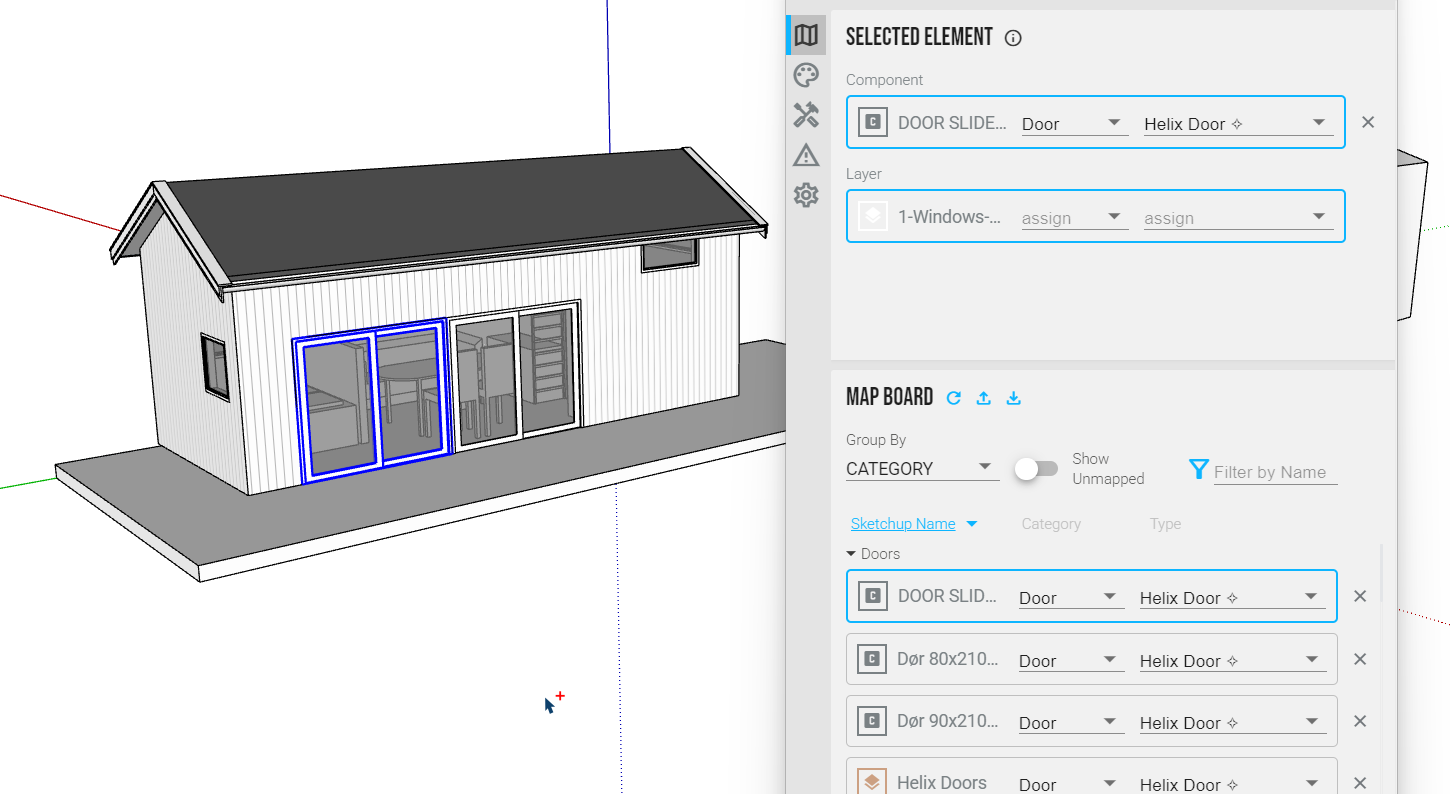
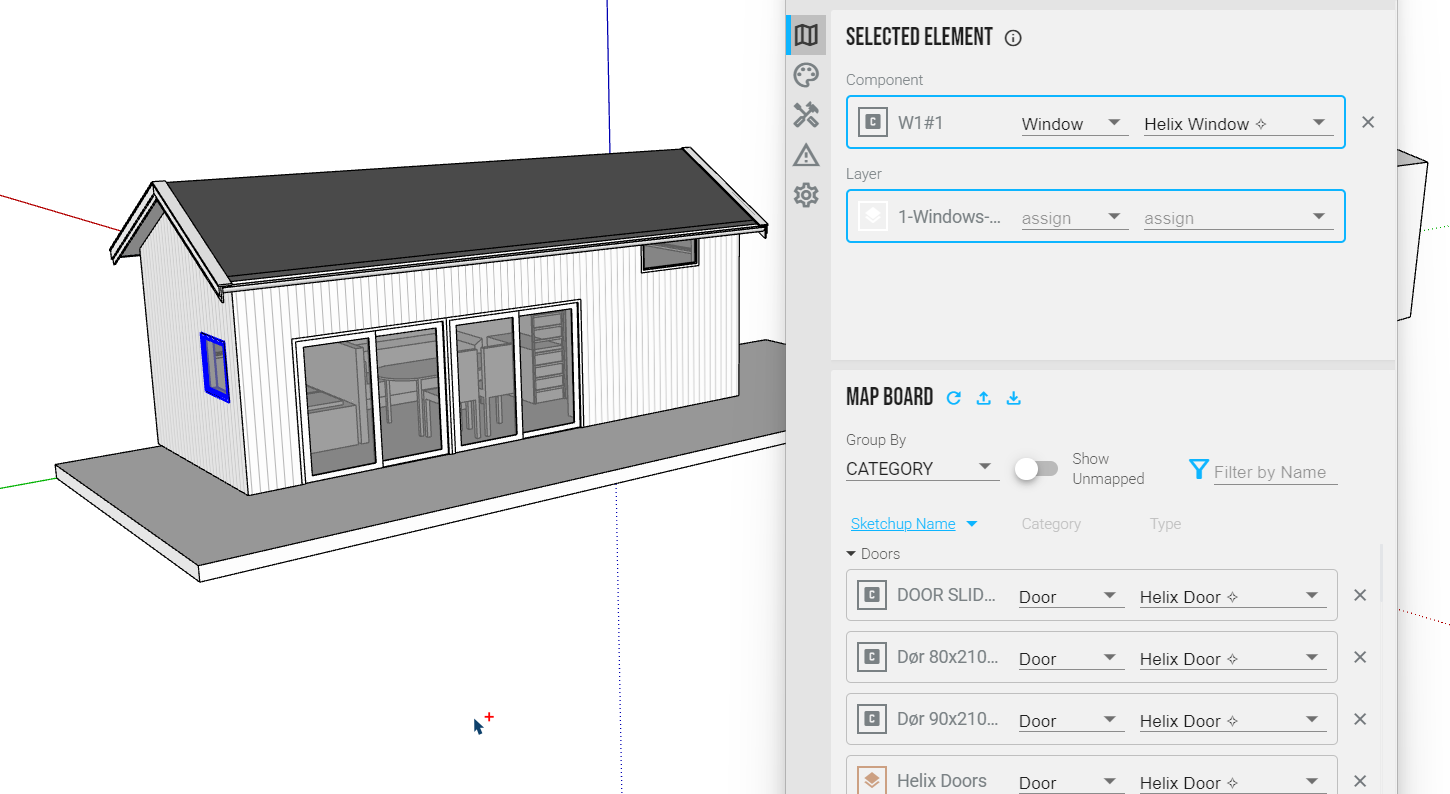
I’ve roughed out something here using Helix, the built in Types, and OOTB Revit families. Could get a better result by using custom door and window families that match your exact spec. Very quickly you can map the objects in SketchUp to Revit system or instance families.
I downloaded your file around 2:00 and had the model mapped, transferred to Revit, and saved by 2:20.
Hi,
First of all thank you for your response..
I have tried to do this a couple of times, but did not succeed.
My versions is SKP 2025 and Revit 2026, is Helix compatible with that versions?
Yes, Helix supports Revit 2021-2026 and SketchUp 2020-2025.
If you do pick up subscription, feel free to reach out through a PM. I’d be happy to do a quick training/nerd session to answer questions and show you the ropes of the app.
Did you poke around the file I attached? I noticed the line about metric after pulling everything in, so I switched the project units. Imperial is my brain default and really zero exp in metric so the project settings I picked may be wacky.
Hi,
Yes i checked the rvt file and it looks that you have synced the elements.. I have have a student license.. Do I have to buy something more to get help.. Because my problem is that I draw in Sketchup and start mapping in Helix, but nothing are syncing to Revit.. Maybe my main problem is that my user in Revit and Helix is different mail adresses? The files I am “training” on is in this folder: https://www.dropbox.com/scl/fo/ulxbhx060l3lu9whlfp0x/AJaiptcvQ24DJNuXMHazeiI?rlkey=bqxq4u0i874q58wm1t9cratxv&dl=0
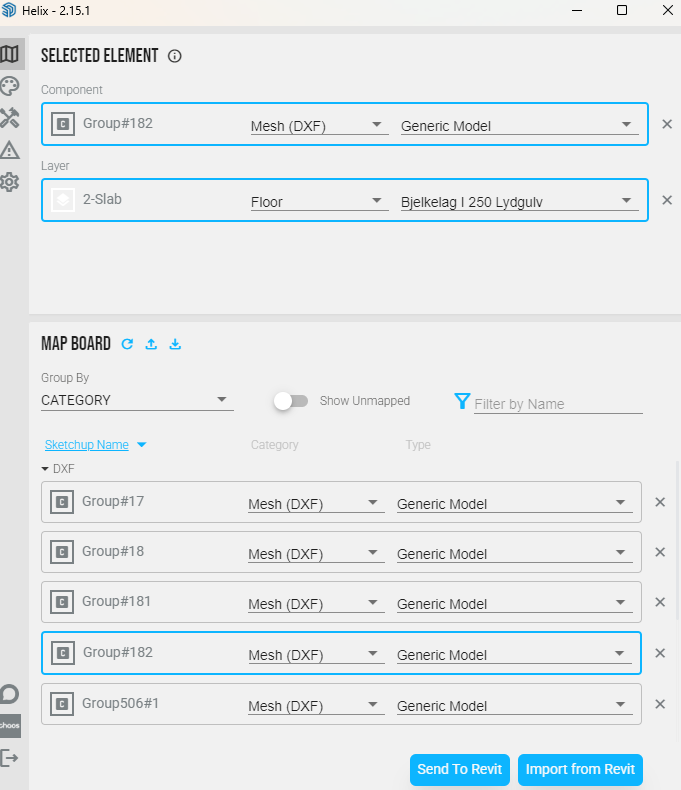
Hi again, I have tested more of the mapping features. When I map the groups/components I have to mape mesh(dxf) → Generic Model to get a nice and clean geometri in revit.. But I just want to use my tag system to map to the correct family in Revit, but that will not sync to revit.. F.ex I want to tell revit to use my tag “2-slab” to be a Floor → Bjelkelag…(who is a slab of lumber).. I think i do something wrong, but I can not find out the process to do this correctly.
@tegnebua sorry for the delay I was on vacation last week.
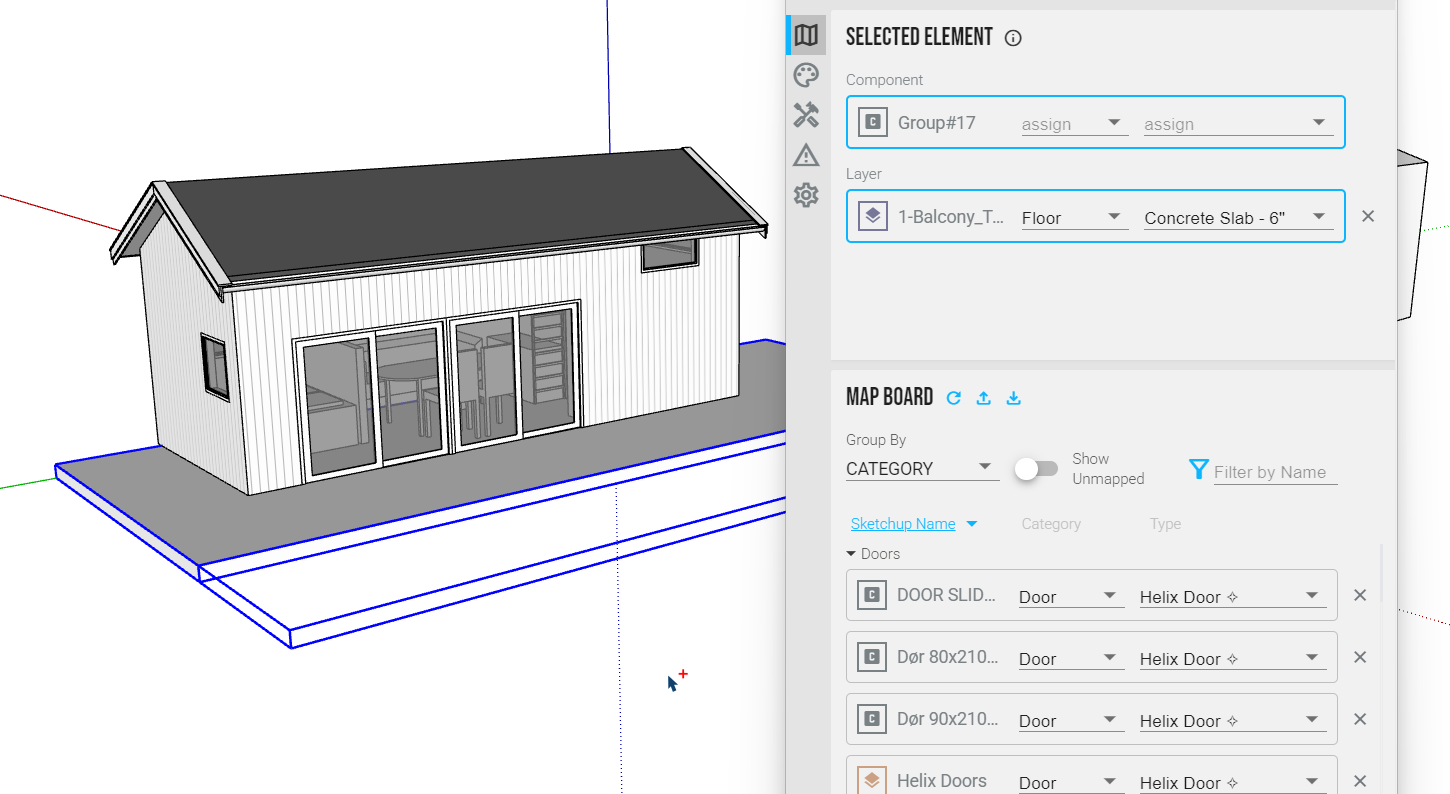
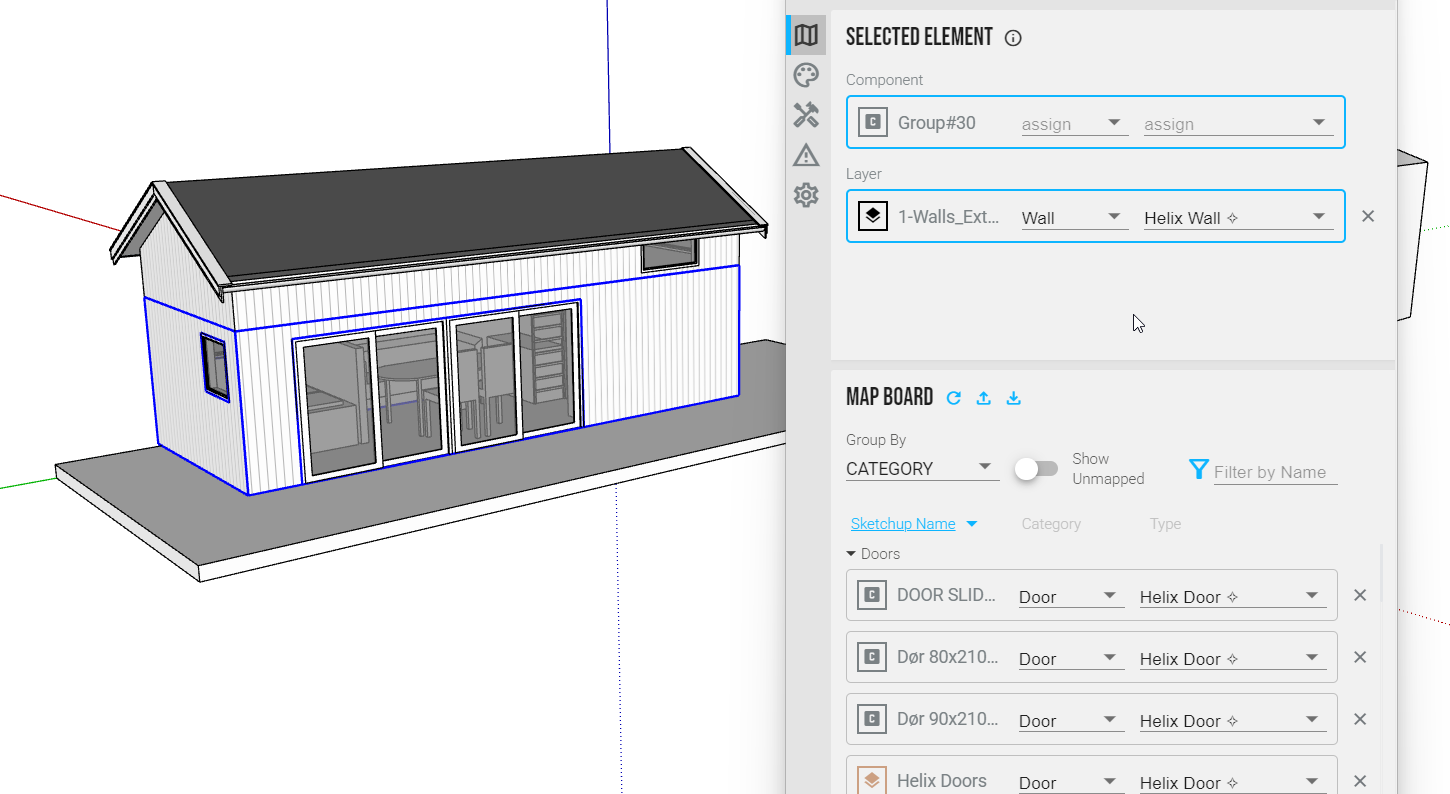
In this case where you are mapping to system family you do not want to map the component/group. You want to just map the Layer to the Category and Type as you do in the lower section. Here are a couple examples.
Here is the mapping file I put together in the event its helpful. It won’t have the types you are working with but you may find it useful to click on various objects to see how things were mapped. Microhouse mapping.hlx (12.5 KB)
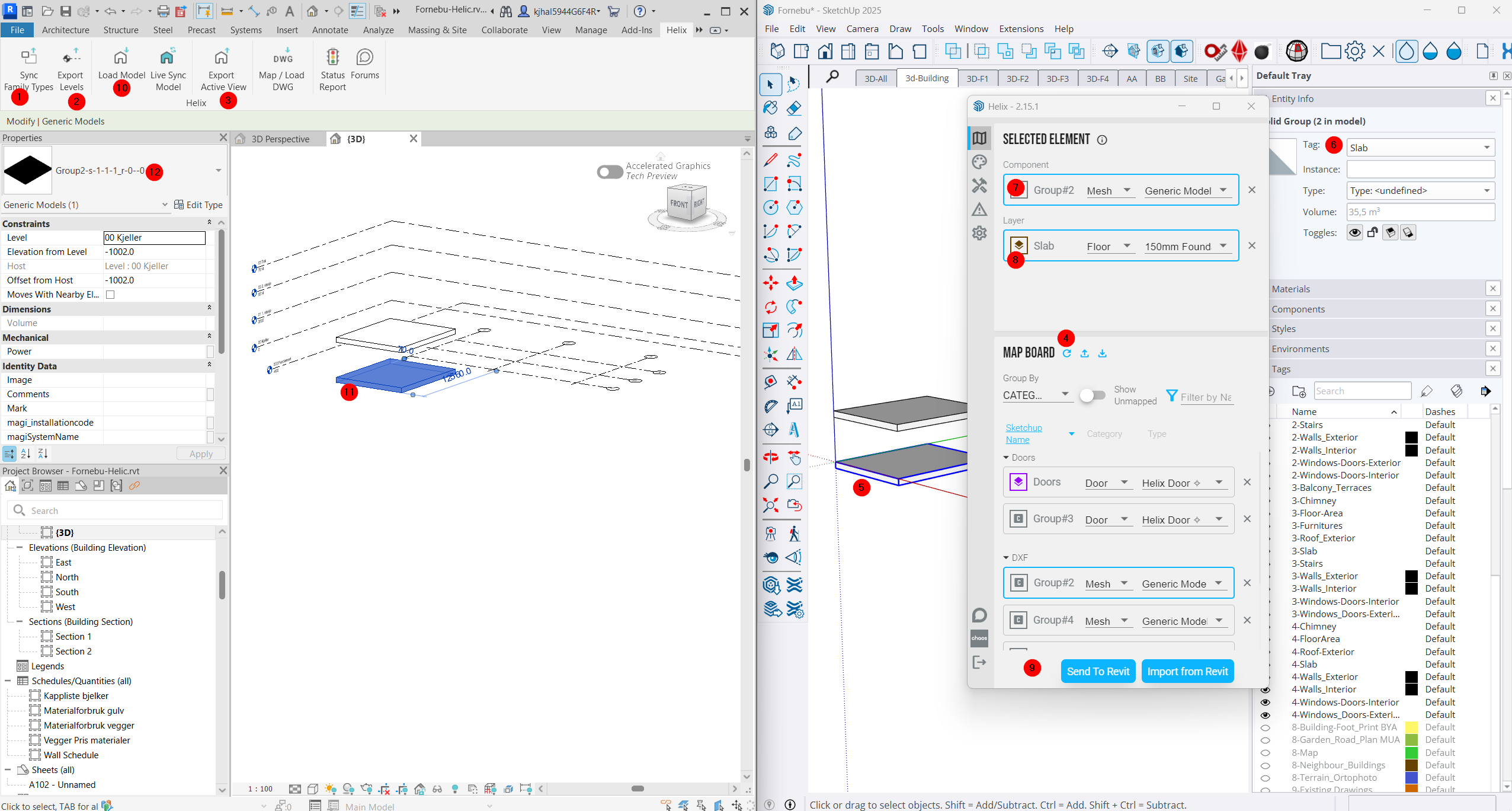
2)Export Levels
3)Export view
4 Sync revit family
5) Draw a Slab
6)Tag the Slab
7)Map Group to Mesh Dxf and Generic Model (It is not a choice for floor)
8)Map the layer/tag to floor and correct revit family
9) send to revit
10) load model or Live sync
11) A geometry is imported
12) But it will not sync/import the correct families, so I am not able to edit/change from one floor type to another i revit.. it is just the stupid Generic Model stuff.
Saw the meeting on my calendar in a few hours so we can get into detail.
I think the issue is you are mapping that as both a mesh AND by layer to floor.
Where you want this to map to a floor (system family that is driven by a profile) you would want to use just the Layer/Tag mapping.
Mesh is used for instance families like furniture/plumbing. It could be helpful for floor if you had some funny shaped object you want on the floor category that wouldn’t be built in Revit with a Floor system family.
Sorry if it sounds like I’m talking in riddles, I think it’ll make a lot more sense when we can work on it together in a few hours.
Open a revit file and sync family type You only need to sync family type if you want to map to family types from your project. You can skip sync family type in this situation.
Export Levels You only need to do this if you want the Levels in SketchUp. You can skip this.
Export view You would do this if you wanted to bring something from Revit into SketchUp. You can skip this.
Sync revit family Are you looking to sync something from Revit over? If not you can skip this.
Draw a Slab Yes
Tag the Slab Yes
Map Group to Mesh Dxf and Generic Model (It is not a choice for floor) Do not map this object to a Mesh. You should skip this.
Map the layer/tag to floor and correct revit family Yes
send to revit Yes
load model or Live sync Yes
A geometry is imported Hopefully a Revit floor after the little tweaks listed above.
But it will not sync/import the correct families, so I am not able to edit/change from one floor type to another i revit.. it is just the stupid Generic Model stuff.
I think I found the answer for what I am doing “wrong”. When I draw a slab I draw a geometry in “Layer0” and then I group the geometry and put the Group in tag “Slab”.
With this metode It will not sync to revit, but if I tag one of the faces within the group, the geometry for the tagged face will sync to Revit.