Hi.
After upgrade to new version, I cannot find tasks/ bundles on starting page.
Anyway find this .glyph file to import?
Hi @youngjin_ha ,
Tasks and bundles are saved to the project. Did you use the same project you previously used to open Glyph?
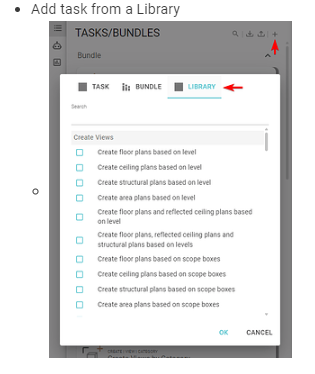
You can also add tasks using the library button:
I am creating a company TAB and would love for it to stay loaded. How do I accomplish that?
Hi @DHOPPMSIGEN, the tab names are saved within each task/bundle. Therefore, if you want the tab to always stay on, assign one task or bundle to that tab, then save the tasks/bundles to the project by closing Glyph and saving the Revit model, or by exporting the task/bundle.