Hi there,
I currently have Helix version 2.15.4 for both Revit and Sketchup. However, i am trying to import my sketchup model into Revit and it is not working. Any ideas why that could be?
Hi there,
I currently have Helix version 2.15.4 for both Revit and Sketchup. However, i am trying to import my sketchup model into Revit and it is not working. Any ideas why that could be?
Did you map the geometry in SketchUp to Revit categories? Typically this is done by tags/layers.
Could you share a screenshot of the configuration?
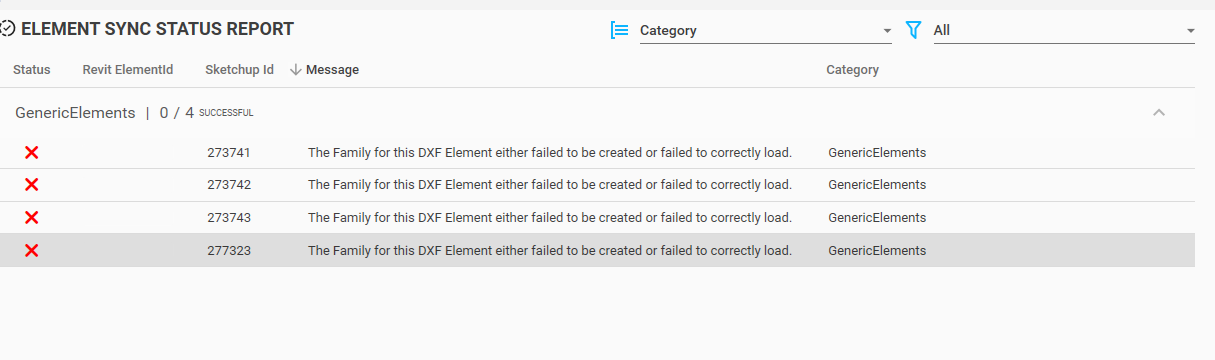
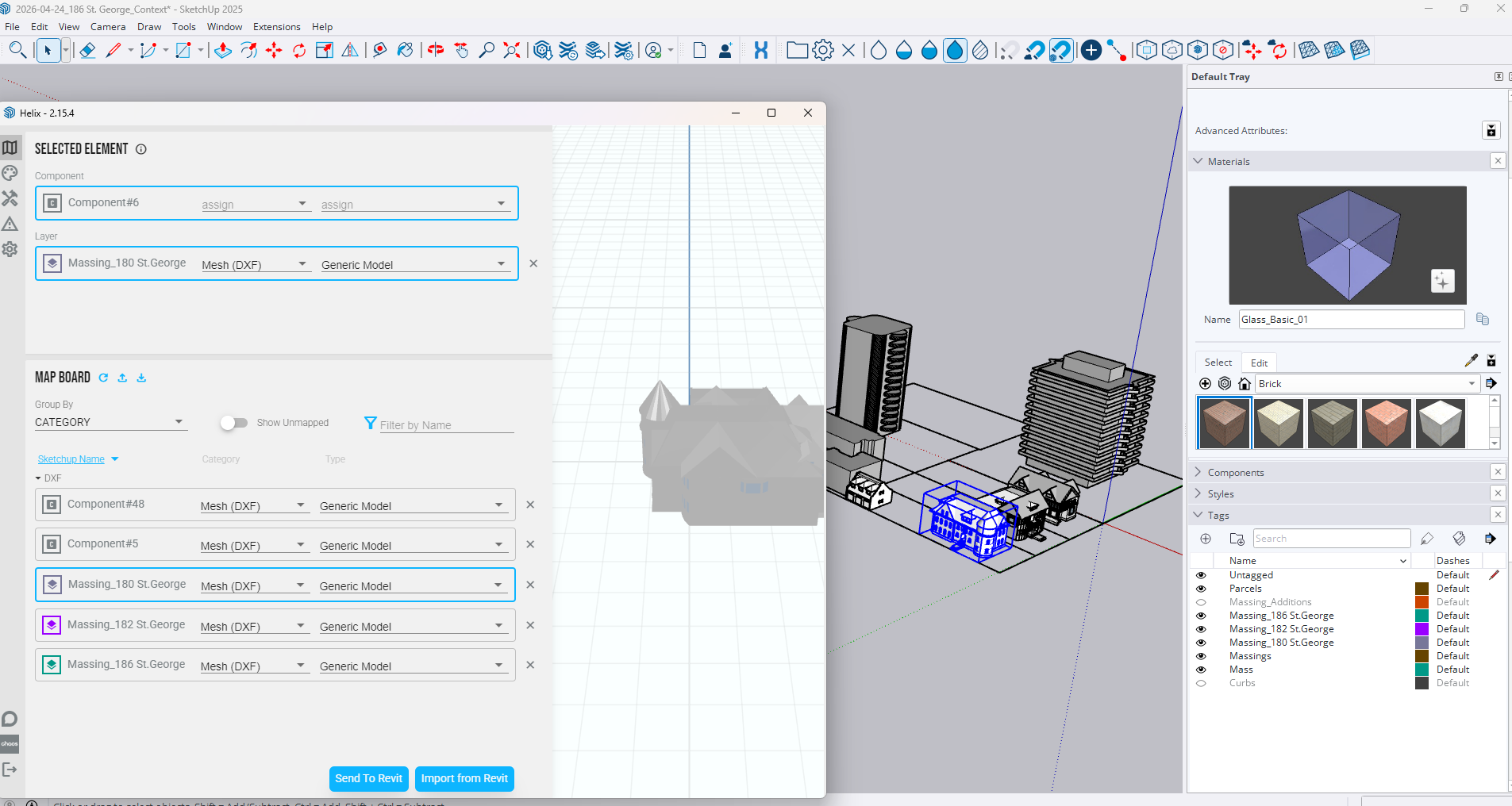
Hi Dave, Yes i believe the mapping is done correctly. Im trying to important simple 3D massings from Sketchup 2025 into Revit 2025. I’ve placed the model on a tag and have mapped the tag. When i click Send to Revit and check in Revit, nothing shows up… Attached you will see my Sketchup mapping and the error message i am receiving.
If you go to C:\ProgramData\EvolveLAB\Helix and inspect the file named model.hlx how large is it?
Typically I try to keep this file smaller than 20MB or imports can take forever/fail.
Looks like the models are pretty complex so I would suggest breaking it down into separate imports. One for each building. Once you press the Send to Revit button it will create that model.hlx so you could add a model and check.
If you can share the model over I’m happy to take a look at it. PM me a download link.