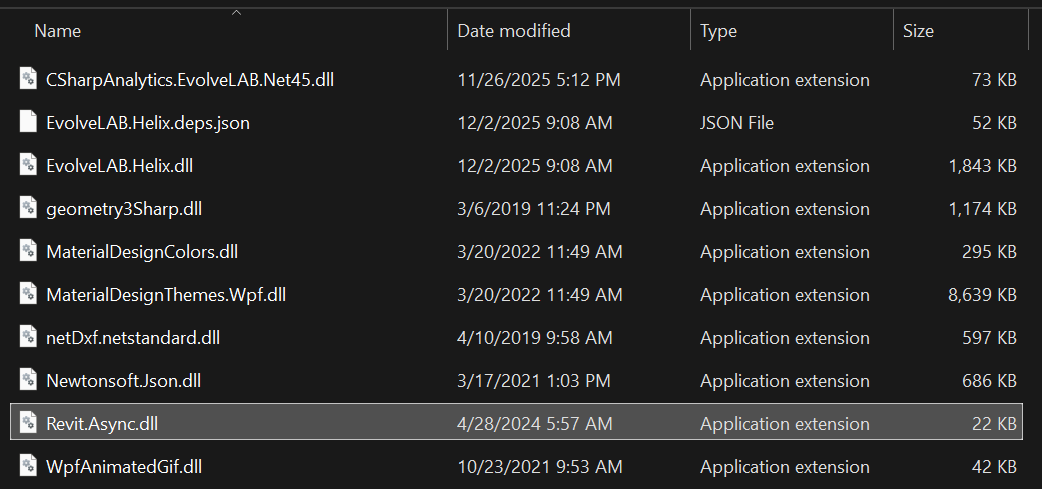
I just downloaded and installed Helix in trial form today for Revit 2026. When I try to open Revit I get this error message:
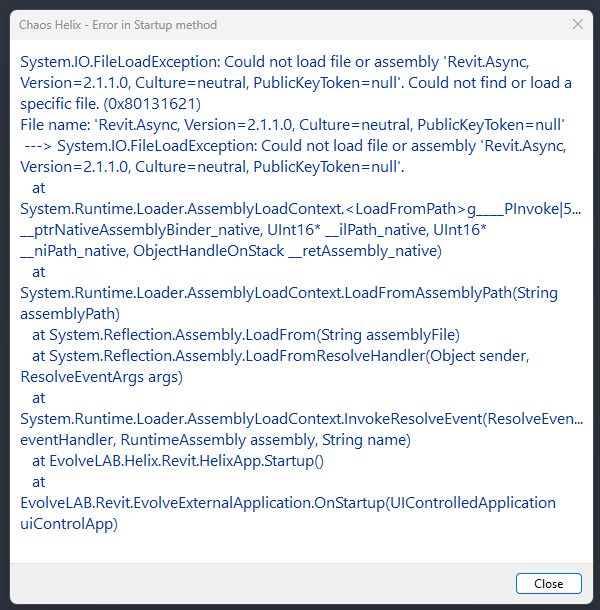
When I click close Revit opens just fine but the add-in is missing. When I go to the add-in manager in Revit I see that Helix is there but the loading time says 5m 27s except that it never loads in.
Also, went to my task manager and did not see it as a background App running either to be able to restart it there.
What else can I do?