Download: Installer
Features 
Dimensioning
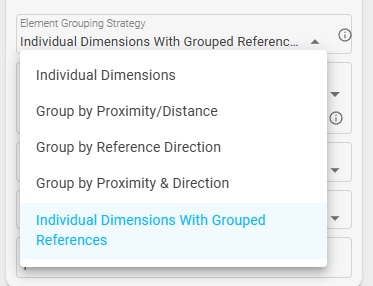
New Grouping Option:
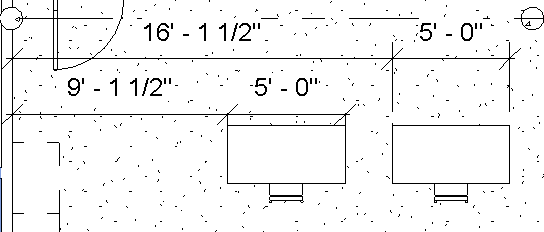
- Creates individual dimensions for each element, but groups the references together within the same element. Groups them by reference direction.
- Example:
-
Wall Core Exterior/Interior Reliability:
- Improved the reliability of Core Exterior and Core reference detection.
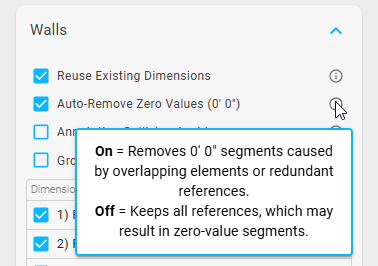
Zero Value Suppression:
- Added a new setting to automatically remove 0’0" values.
Assemblies
Sheet Creation:
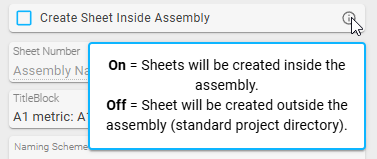
- New setting to create sheets either inside the assembly or outside as standard Revit sheets in the Project Browser.
Elevation Views:
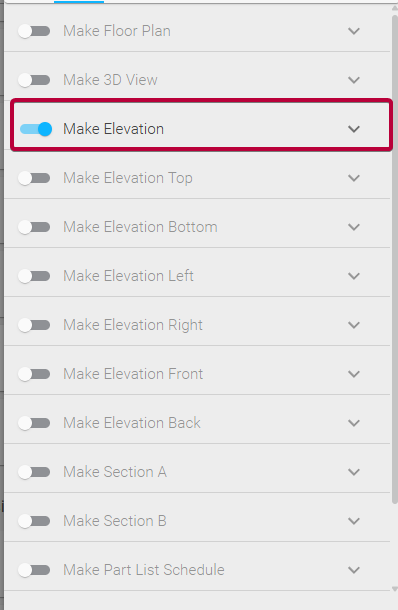
- Enabled Elevation view types (rather than Detail views) for assemblies.
Improvements 
- Tagging: Added support for “Tag End” elbow conditions in plan, elevation, and section views when “Attached End” or “Free End” is set.
- Persistence: The Active Mode value property is now saved between sessions.
- Annotation Collision: The “Crop View” setting no longer needs to be enabled for annotation collision detection in plan views.
- Performance: Optimized filter speed by 50% on large models; improved element collection efficiency when filters are applied.
- Workflows: Extended view orientation configurations to assembly-based view creation workflows.
- UI/UX: Improved task icon sizing and refined dimension setting tooltips.
- Logic Refinement: Enhanced annotation collision detection metrics and element filtering logic.
Bugs 
- Fixed Active Mode not disabling when turned off within the task itself.
- Fixed an issue where changing the UI language would affect the View Family Type selection.
- Fixed new tasks not working properly when Active Mode is on.
- Fixed Active Mode not acting correctly when creating a new bundle.
- Fixed annotation collision for elevations with negative right directions.
- Fixed custom task icons affecting the name width of tasks inside a bundle.
- Fixed an issue where duplicating a task would not update Active Mode.
- Fixed adding a new task from the library not updating Active Mode.
- Fixed adding a new task from Copilot not updating Active Mode.
- Fixed custom reference names being linked to each other when duplicating a task.
- Fixed wall elevation orientation when the wall is not flipped.
- Fixed manual element selection to reset properly when the category is changed.
- Fixed elevation marker settings showing up during 3D view creation.
Guides 
- Looking for help? Check out the Guides.
- Quick start guide
- Additional Resources