Download: Installer
Features 
Glyph AI Assistant
Glyph, an auto-documentation tool for Revit, now has an AI-powered assistant that helps you learn, create, and run workflows faster inside Revit using natural language.
What Glyph AI Assistant can do
 Glyph knowledge
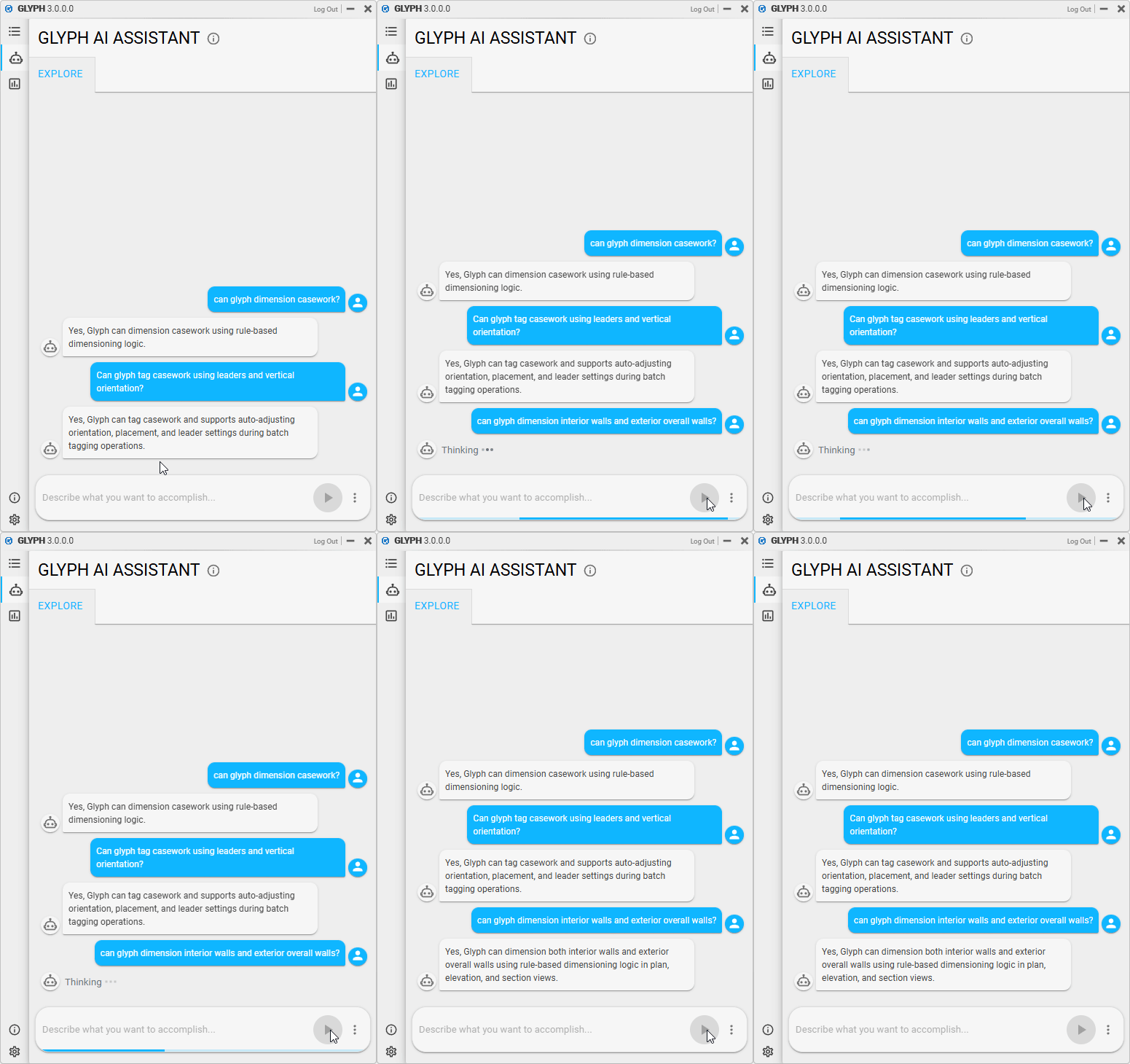
Use Glyph AI Assistant when you want to understand how Glyph works or learn about supported functionality.
Ask questions like:
- What a task or bundle does
- How to set up or use a workflow
- What Glyph can or can’t do
Examples:
- “Can Glyph tag casework and walls using leaders?”
- “Can Glyph dimension casework?”
 Processing time: 1-8 seconds
 Run task
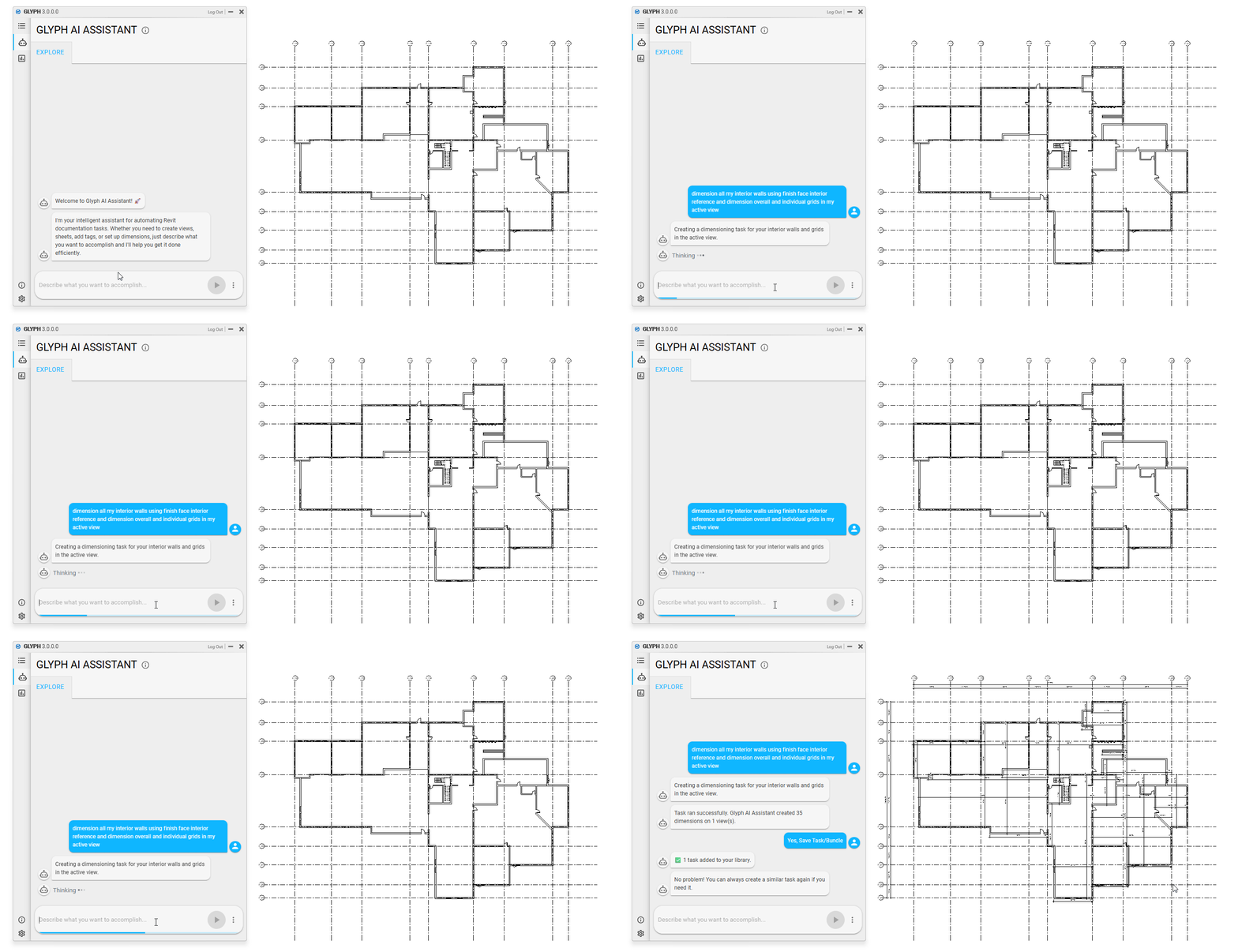
Glyph AI Assistant also lets you generate and immediately execute a task on specific Revit elements or scopes. Use this when you know what to run and where to run it.
Examples:
- “Create floor plans and elevations of rooms 246, 256, and 278.”
- “Tag doors with leaders using the walls 1/2 family. ”
- “Dimension all interior walls using finish face interior and exterior references in my active view.”
Processing time: ~30–45 seconds
 Create Task/Bundle with specific settings
- Processing Time: 24-45 seconds
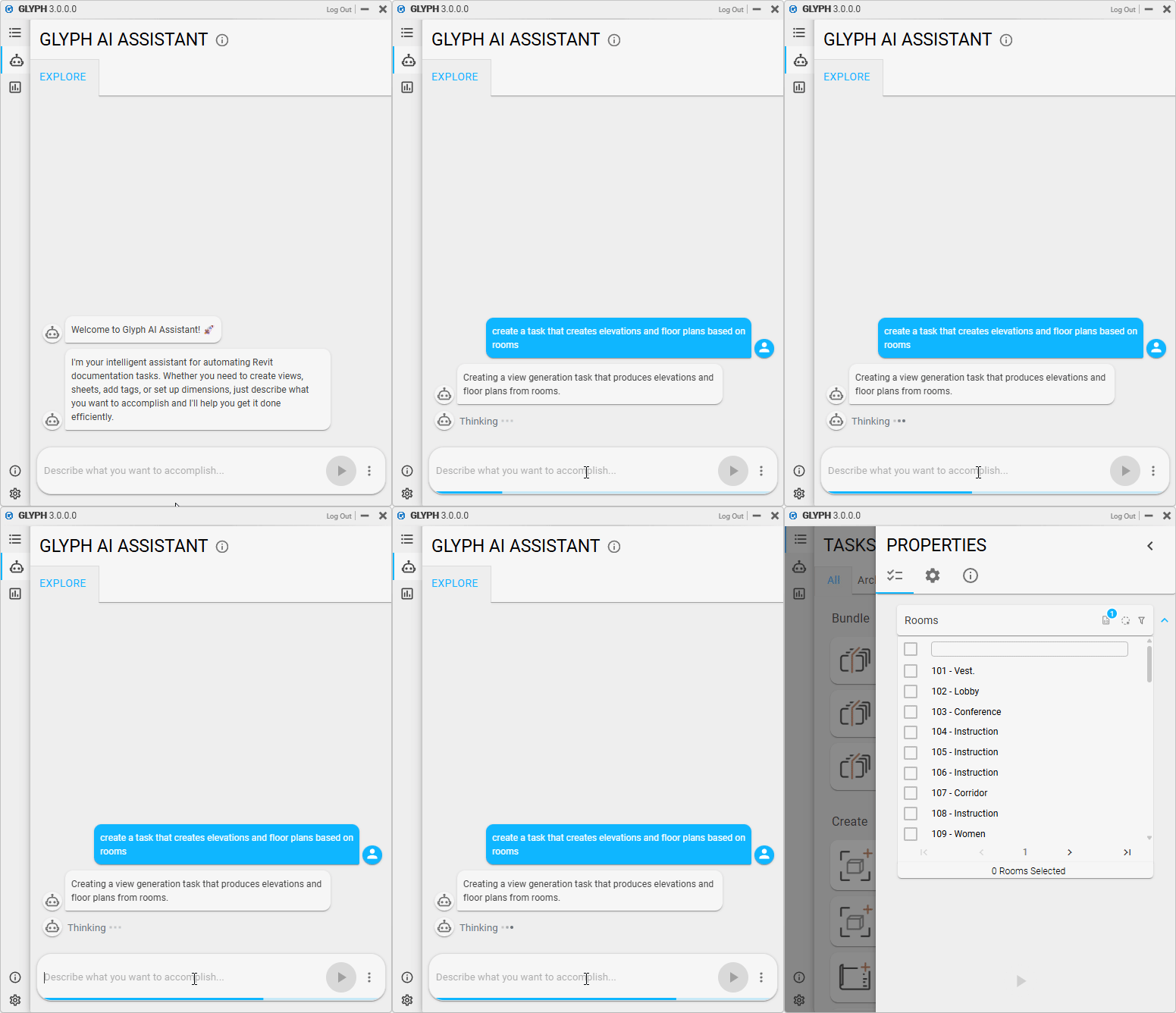
Last but not least, you can also create Tasks & Bundles, which allow you to define new automation workflows without immediately running them. Use this when you want to describe what to automate, but not yet where to apply it, or when you want Glyph to create a task or bundle that you can further customize later.
Examples:
- “Create a task that dimensions ducts and generic models.”
- “Make a task that tags walls, doors, windows, and casework.”
- “Create a task that automates room elevation creation, using a 1’ offset at each corner of the view.”
Processing time: ~30–45 seconds
Added support for MEP Fabrication Part dimensions
The following categories were added to all dimension-related tasks:
- MEP Fabrication Pipework
- Dimension options:
- Plan: Vertical Pipework To Datum Grid
- Plan: Horizontal Pipework To Datum Grid
- Dimension options:
- MEP Fabrication Hangers
- Dimension option: “Plan: Hanger Center To Datum Grid”
Improvements 
- Increased maximum import size for tasks and bundles to 10 MB (up from 4 MB)
- Improved reliability when importing larger task and bundle files
Bugs 
- Fixed an issue where elements were not automatically selected when duplicating tasks with filters
- Fixed room dimension placement snapping to wall centerlines instead of wall finishes
- Fixed a task naming scheme issue reported on the forum
Guides 
- Looking for help? Check out the Guides.
- Quick start guide
- Additional Resources