I am pretty sure this does not require a response, just noting for posterity.
Monday Installed, 3.0.0.2 on first run it said there is a later version. so I downloaded that and installed this morning. but it installed 3.0.0.1… and threw Failed to Initialize dbox. Dll does not exist.
I uninstalled, rebooted and dowloaded the Jan 20 version 3.1 from chaos website. Installed. The installers icon was not on my task bar, so I assumed it was done. I rebooted.
There was a new “unnamed” application preventing the shut down process.
On launch I now have glyph Tab in Revit however there are no task/bundles installed.
I did Control panel> repair, no reboot, launched Revit 2026
I now have tasks/bundles, but it has removed the Revit 2026 icon from my task bar
Sorry to hear about the anomalies you experienced. Glyph will never prevent you from shutting down your system.
Just to clarify, when the Revit 2026 icon was removed from your taskbar, are you referring to the Windows taskbar? Also, did you have Revit open when you installed Glyph 3.1?
Like most add-ins, the installer location should be:
C:\ProgramData\Autodesk\Revit\Addins\2026
Thank you for bringing this to our attention,
Miguel
Yea I think there may have been something left installing on the shut down, the only thing I can figure, but did not screen cap.
Yes, Icon gone from the taskbar, came back after reboot. so may have been something odd with the control panel fix that hit the registry, but was reset when registry loaded on reboot>
Revit (all versions) closed when installing glyph.
Yes, to the plugins location, but I was wondering more about an install log file, but par for the course of revit plugins would be no install log file, just a manifest and the DLLS
Thanks
OK one day at a time, finally put out enough fires to start testing again.
While yesterday after clean install and reboot I had all my typical tasks/bundles, when I started today and logged in, they are all gone again. I did reboot and tried a second time but they are still gone.
It is requesting that I log in each time I start a new session of Revit, not sure that matters.
Is this something I should throw at a Chaos support ticket?
Thanks
Very odd, thank you for reporting this issue. By any chance, do you have analytics turned on? We will not know who it is coming from, but it will help us identify where the error is coming from in the code.
Yes Analytics are on.
I just tried first thing this morning and before everything else, and still no Task/bundles
I did the load, and there were no tasks or bundles listed however I pulled about 30 things from the library (I don’t remember the library being avaialbe previously, but it well could have been. I logged out, but kept the revit 25 session open I opened rvt24 and a file then launched glyph, signed in. and watched the spinning wheel on the interface for about 5 minutes while I checked email. Never stopped spinning.
I closed all the sessions started Revit 26 launched glyph. have been watching the spinning wheel as I write this,
Pretty much done for now. I will ask again directly.
Should I log this as a support issue with glyph? (I suspect they would just throw it at your team). at this point I am testing for the office, I only get about 2 hours per week between fires to actually open files and test. All I can say at this point is I would recommend the office wait and re-evaluate at release 4.1
Other Variables
I am using both pyRevit, (5.1 and soon 6.0) Ideate (BIMLink, Apps, and Explorer), and have RevitPython installed.
I have not installed or updated any of those since the glyph was installed, so no changes there, but maybe conflicts.
OK, one more thing that is odd.
I am doing a complete uninstall (will look to see if I can find a complete uninstall FAQ for Glyph, but I suspect not)
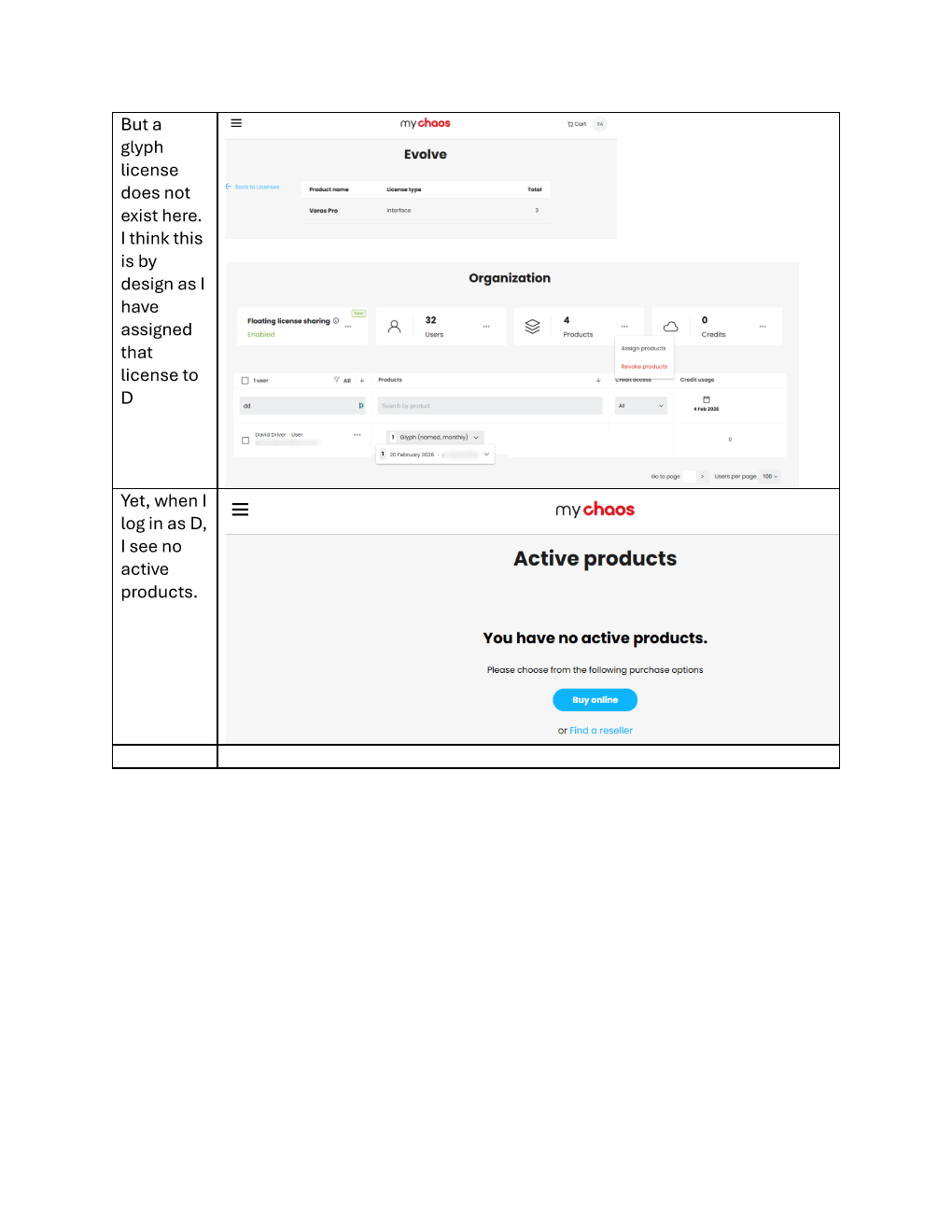
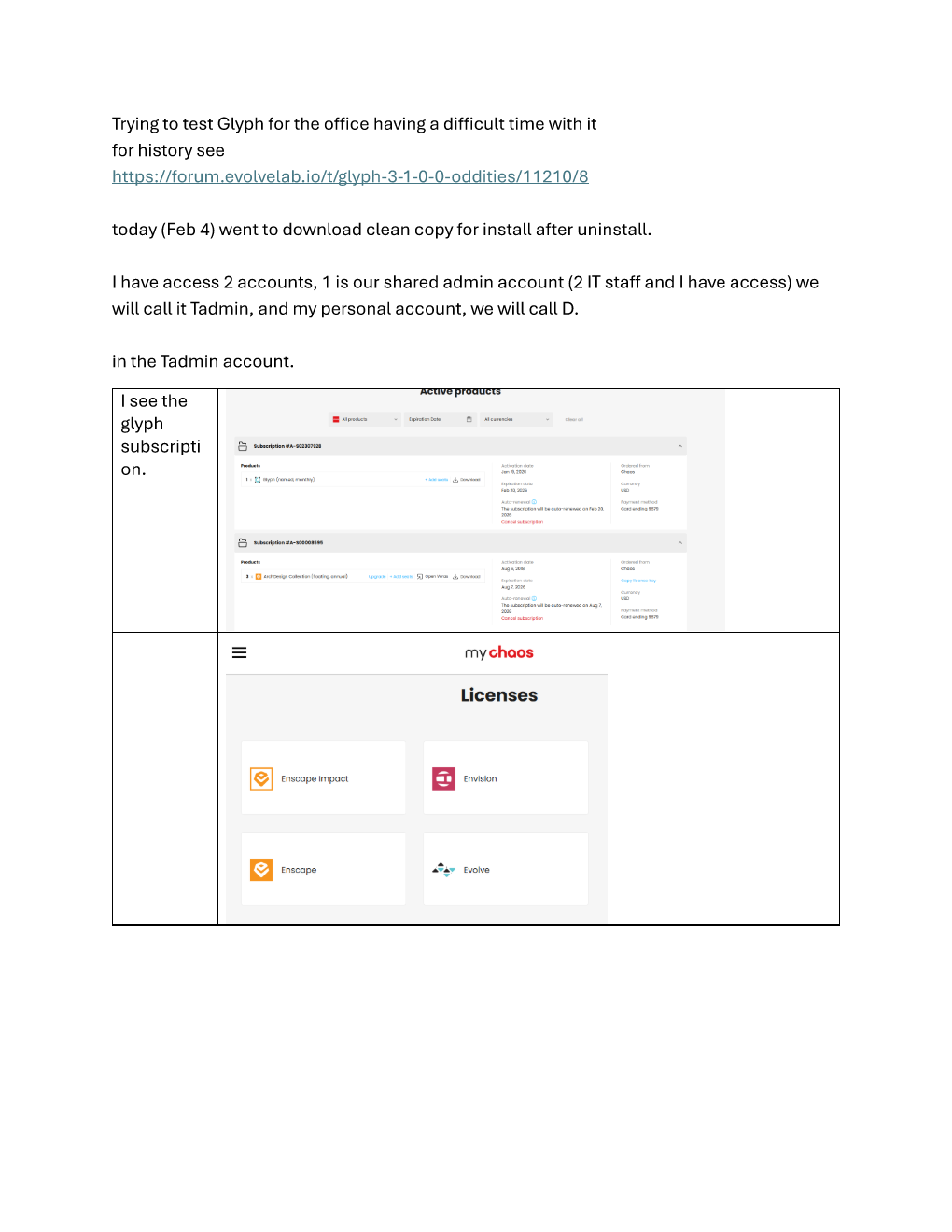
I went to download and there are a couple of odd things on the chaos licensing page.
Thank you for the detailed explanation about how you got that error. At first glance, it does appear that the issue may be related to a conflict with other add-ins, but I will review this again to be sure.
We plan to include the bug fixes in the upcoming release scheduled for February 16th.
Thank you again for the detailed explanation and for taking the time to let us know about this bug.
Miguel
OK, found my license on a different tab, but more information
did uninstall,
Uninstall cleanedC:\ProgramData\Autodesk\Revit\Addins\20XX\
but left remnants in appData Roaming>
…Roaming\ChaosGlyph
…Roaming\Chaos Glyph
I removed those before reboot
I will put Feb 16 on my schedule and carve out time to test, thanks
OK, clean uninstall (as clean as I could make it), reboot,
first run
again glyph just displayed spinning wheel.
shut it down
Tried Just the Glyph assistant.
was prompted to do the EULA.
After that glyph loads, but again no Task/bundles
I added task to create sheets by scope box.
It ran 1x
it shows up on Task/Bundles All. however there is no run button
Looking forward to Feb, 16.
Was doing a new container file for the office, I had to open all versions of Revit to generate for the libraries. got Microsoft .net framework error.
Details copied and pasted into text file, send me upload link if you want that for the tech team, thanks
Well, my anticipation of the new release is thwarted. At this point my 2nd monthly trial ends in 2 days. I am not going to renew. but will come back again in about 6 months or so when my testing schedule frees up (hahaha as if). or when my users start bugging me again.
Let me know if there are any log file or events you would like me to send over
I: Downloaded 3.2 this morning.
I did add/remove programs uninstall.
cleaned glyph folder from roaming.
rebooted.
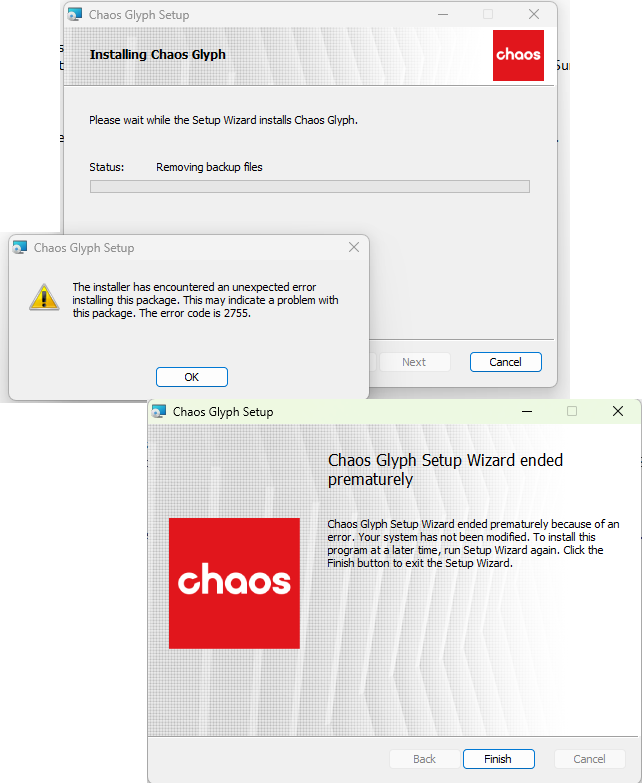
did install, results are in screen cap
@ddriver, sorry to hear you’re running into issues installing the latest update.
The error shown in your screenshot is actually different from the one you previously reported. The earlier issue was addressed in this release, so what you’re seeing now appears to be unrelated to that fix.
A quick search of Windows Installer error 2755 indicates it’s typically caused by system-level or Windows Installer configuration issues, rather than anything specific to the Glyph installer itself.
It looks like this issue is outside of Glyph in this case, but if you decide to revisit it down the line, we’ll be here to help.