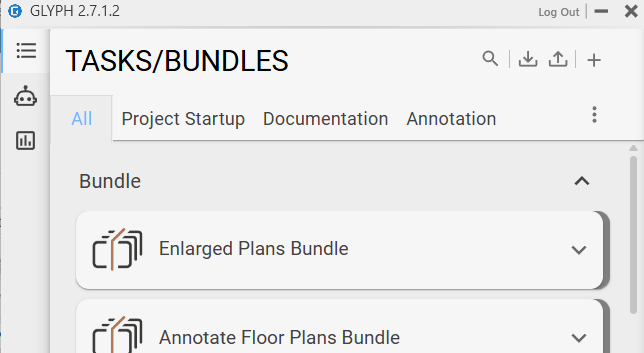
I really enjoy the new tabs feature that you have introduced in the latest version of Glyph and I was wondering if there was a way to deploy custom tabs and tasks automatically when Glyph is installed. Typically my company will deploy software directly to the user’s machines and having a series of predefined tabs for different faces of the project with various tasks and bundles with it in them would be really beneficial.
Is there a configuration file that is stored somewhere on a users computer that can be edited and or replaced in order to achieve a prepackaged deployment like I’ve described. So where might that configuration file or folder be saved?
I’m glad to hear you’re enjoying the new tabs feature. The tab assignment is stored within the task/bundle, so whenever you import new tasks or open Glyph on a project that already has custom tasks, the UI will reflect those tabs. I hope that makes sense.
It does make sense. So they only way we could ‘deploy’ a complete set of default tasks and bundles to a project, without having to import them each time, would be to set it up in our Company Revit template that each project is created from?
For now, yes. In the near future, you will also be able to deploy tasks automatically using a URL link added during the installation process. This URL will allow you to update the tasks in that folder and automatically deploy any changes to everyone at your firm.