Hello,
Our company has a dimensioning standard where, on plan, we dimension to stud face (or core face) on the plan-right side of vertical walls and plan-north side of horizontal walls. I’ve been testing Glyph’s dimensioning by selecting “Plan: Core Interior” or Plan: Core Exterior”. I’m wondering if I am missing a piece on how Revit/Glyph reads these settings though. If I run the interior wall dimensioning task it will land the dimensions correctly in one direction, but incorrectly in the opposite direction. For example, if my walls are modeled with “Core Face Interior” to the right side of the page, I will run Glyph to dimension to “Plan: Core Interior” and the dimension will snap to Revit’s “Core Face Exterior” side of the modeled wall.
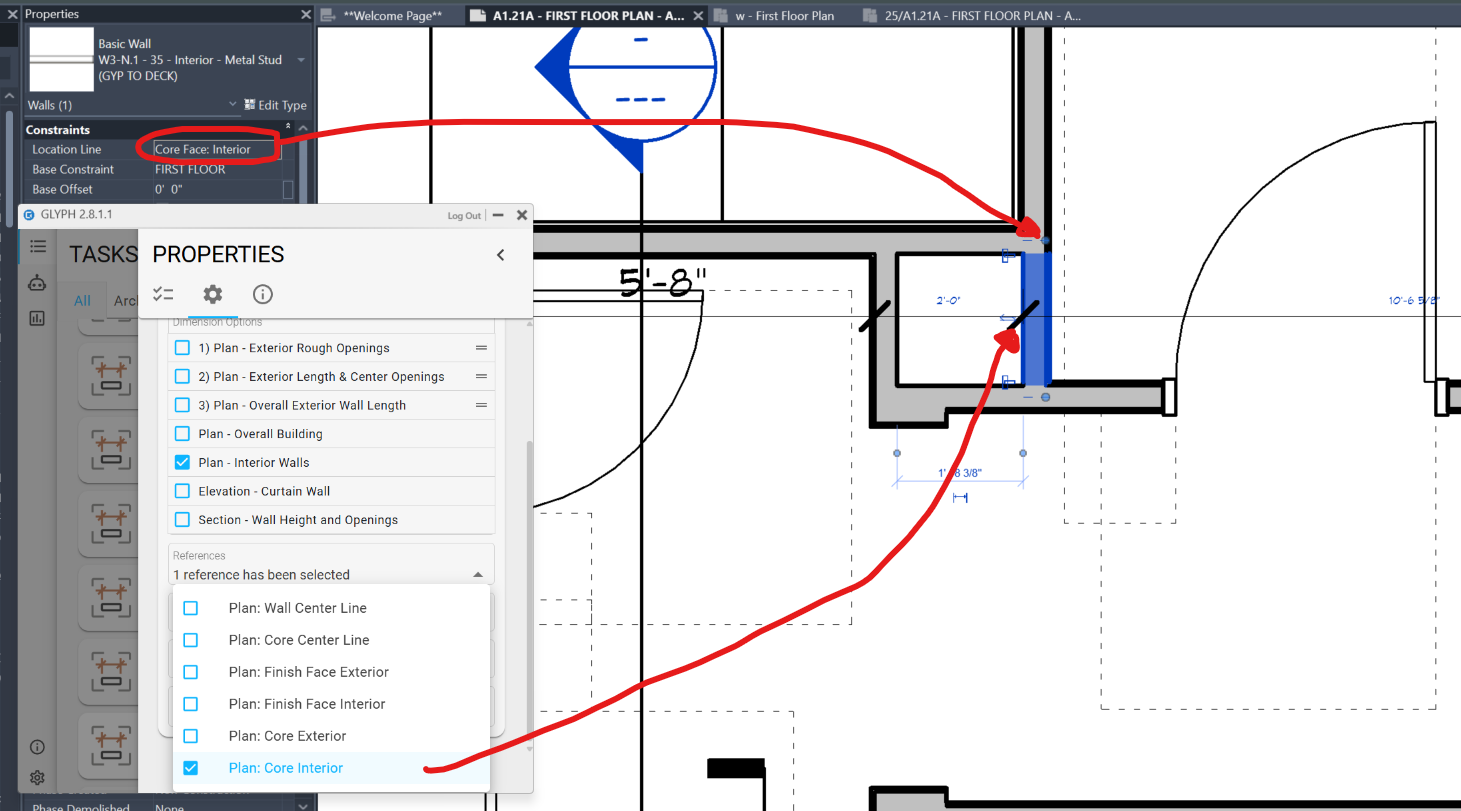
From what I can tell, the Glyph “Plan: Core Interior” is always snapping to plan left and plan top of walls. Then “Plan: Core Exterior” is doing the opposite.
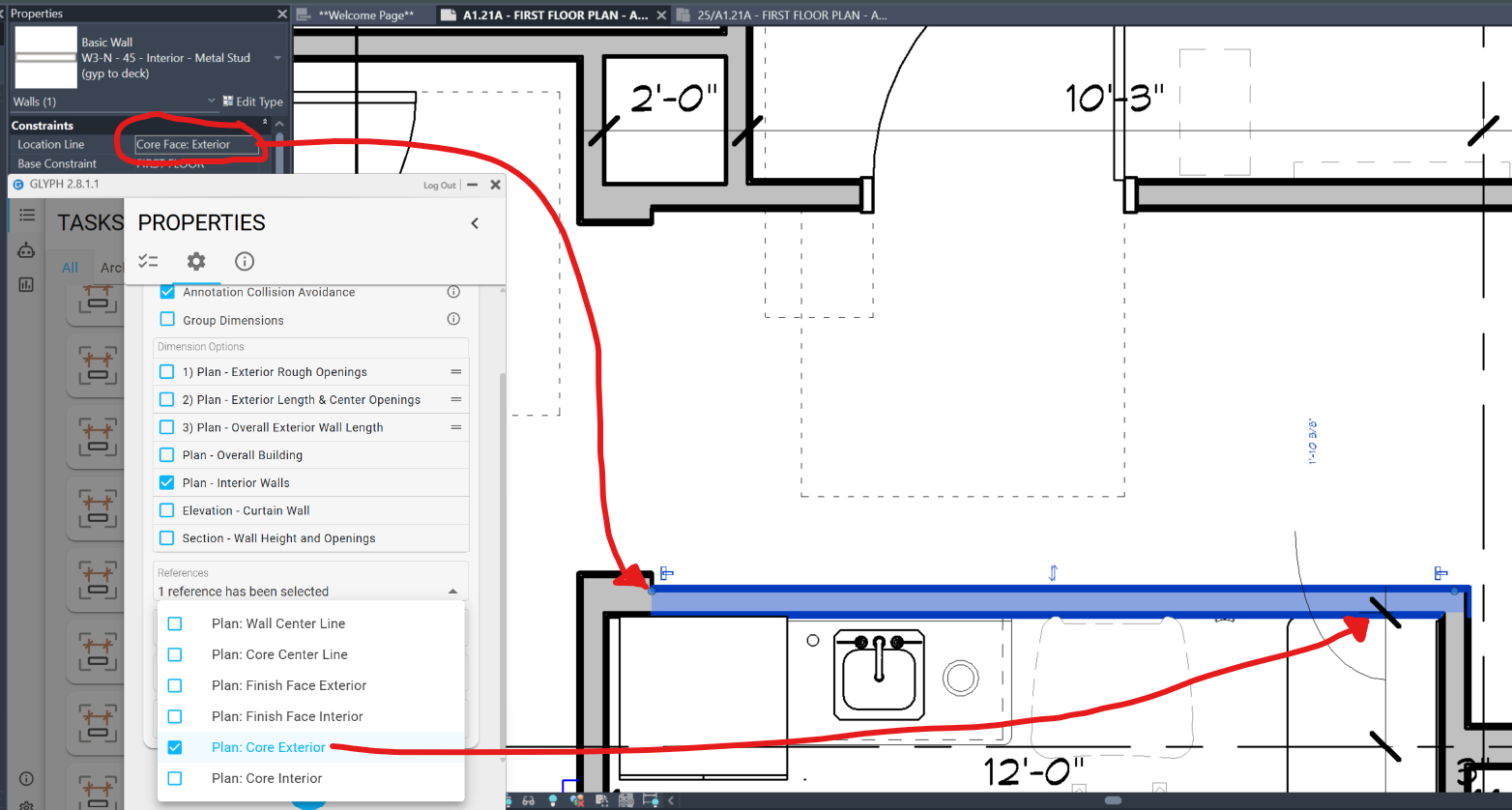
Does Glyph have default core face locations and it’s not reading Revit’s core faces?