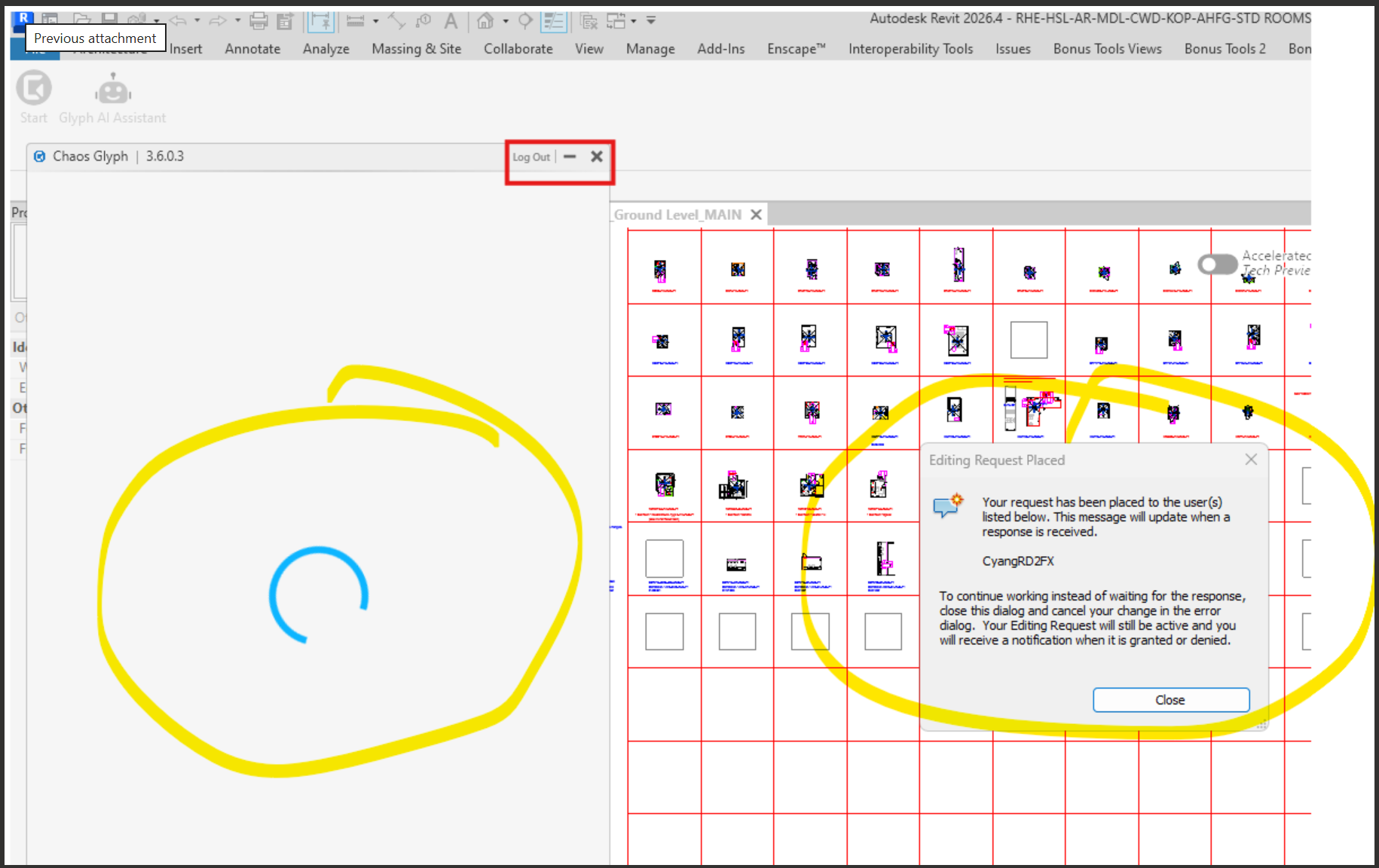
Hi, I have several users reporting this same issue when using Glyph 3.6.0.3 with Revit 2026.4.
When attempting to close Glyph it freezes or stalls with a spinning blue wheel and the users then get stuck in an endless loop of Revit editing requests that they are unable to close out of… eventually having to crash out of Revit and restart.
I’ve asked our IT to deploy the latest 3.6.0.4 version but was wondering if any others have come across this?
Ok, so I think I found the cause, and I’m working on a fix.
Upgrading to 3.6.0.4 probably won’t fix the issue, so I would recommended waiting until I get this fixed and make a new release.
Cause: When Glyph closes, it tries to save its task list into the Revit model, as tasks are model specific (since they are linked to families and types in that model). In workshared models, if multiple users have changed Glyph Tasks, saving/syncing will cause a conflict. Right now, Glyph will just keep trying to save until the conflict is resolved.
I’m working on an update so that Glyph will always closes cleanly, even if it can’t save at that moment. If you are in this state and need to make sure your Glyph changes save, you can just export all (or some) Glyph tasks and bundles to a .glyph file, and then reload them the next time you open Glyph.
A workaround in the meantime would be to contact that user who has checked out the Glyph data element (in this screenshot, it’s CyangRD2FX) and have them sync and close Glyph. Then this user should be able to sync to get the updated data, then close Glyph themselves.
Let me know how that workaround works out in the mean time while you are waiting for the official fix.